
AI Tools & Automation Specialist
In the fast-paced world of 2026, meetings are an unavoidable reality. While essential for collaboration and decision-making, they often leave us with a common problem: mountains of meeting notes. These notes, whether handwritten, typed, or transcribed, frequently contain vital information but are too long to review efficiently. The challenge isn’t just about capturing every word; it’s about extracting the essence, identifying key decisions, and tracking actionable items without spending hours sifting through text.
This is where artificial intelligence steps in as a game-changer. AI-powered summarization tools can transform lengthy meeting transcripts into concise, digestible summaries, saving invaluable time and ensuring no critical detail is overlooked. By leveraging these technologies, you can move from simply attending meetings to actively deriving insights and driving progress faster than ever before. This guide will walk you through a simple yet powerful workflow to automate your meeting note summarization using readily available AI tools.
What You Need
- A meeting transcription service (e.g., Google Meet’s built-in transcription, Otter.ai, Zoom transcriptions)
- A large language model (LLM) access (e.g., Gemini, Claude, or via OpenRouter)
- A text editor or note-taking application
Step-by-Step Instructions
-
Transcribe Your Meeting: Ensure your meeting is recorded and transcribed. Most modern meeting platforms like Google Meet or Zoom offer integrated transcription services. If not, dedicated tools like Otter.ai can easily convert audio recordings into text. Save this full transcript as a plain text file.
-
Prepare the Transcript for AI: Review the raw transcript for obvious errors or filler words that don’t add value. While LLMs are sophisticated, a cleaner input often leads to a better summary. Copy the cleaned text, or at least the relevant sections, into your clipboard or a text file.
-
Craft Your Summarization Prompt: This is where prompt engineering shines. You need to instruct the AI precisely on what kind of summary you desire. Consider asking for key decisions, action items, participants responsible, and any outstanding questions.
Summarize the following meeting transcript. Focus on: - Key decisions made (who, what, when) - Action items (who is responsible, what needs to be done, by when) - Important discussion points - Any open questions or topics for future discussion Format the summary with clear headings and bullet points for readability. [PASTE YOUR TRANSCRIPT HERE] -
Paste into Your Chosen LLM: Open your preferred LLM interface (Gemini, Claude, or an OpenRouter-powered model). Paste your carefully crafted prompt followed by the meeting transcript into the input field. The longer the transcript, the more robust an LLM you may need.
-
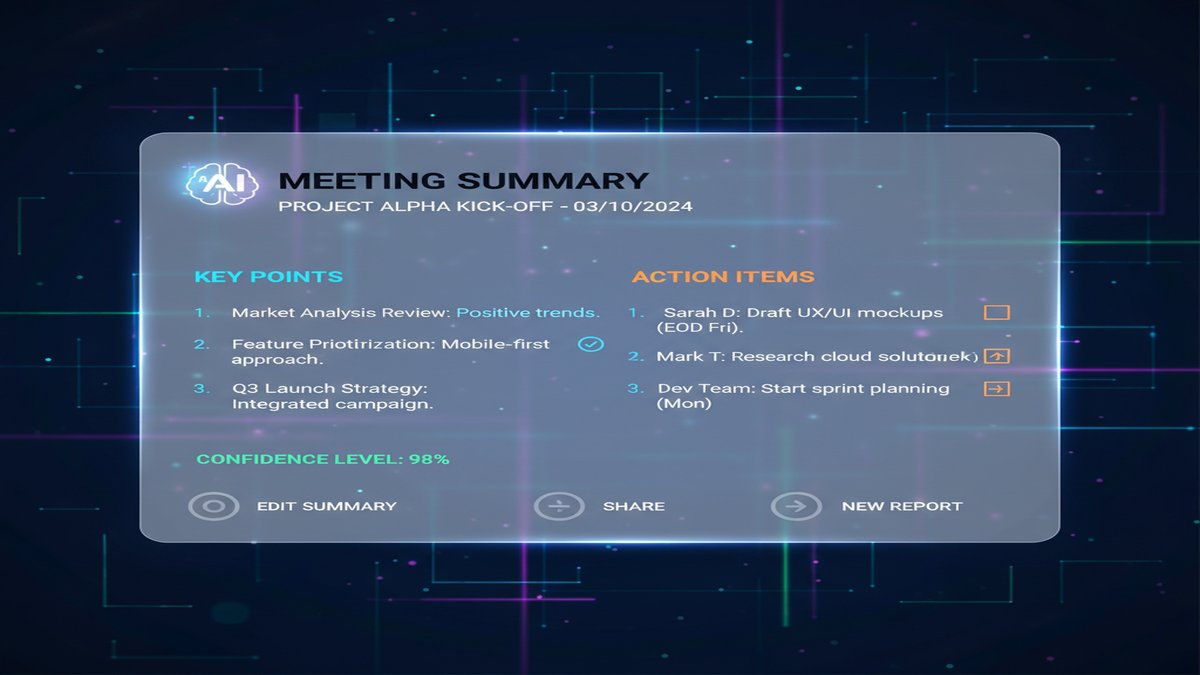
Review and Refine the AI-Generated Summary: The AI will quickly generate a summary based on your instructions. Read through it critically. Check if all important points are covered, if action items are accurate, and if any nuances were lost. You might need to make minor manual edits to ensure accuracy and tone.
-
Iterate for Deeper Insights (Optional): If the initial summary is good but you need more detail on a specific topic, ask the AI follow-up questions. For example, “Expand on the budget discussion points” or “List all mentions of ‘project X’ and their context.” This allows for iterative summarization and deeper analysis.
-
Integrate into Your Workflow: Once satisfied, copy the summarized notes into your project management tool, shared document, or personal note-taking system. This ensures the key takeaways are accessible to everyone who needs them and that action items are properly tracked.
Pro Tips
- Be Specific with Prompts: The more detailed your prompt, the better the summary. Don’t just ask for a “summary”; tell the AI what aspects are most important to you.
- Use Role-Playing: Sometimes, instructing the AI to “Act as a project manager summarizing this meeting for stakeholders” can yield more focused results.
- Handle Long Transcripts: For very long meetings, break the transcript into logical sections (e.g., by agenda item) and summarize each part separately before asking for an overall synthesis.
- Test Different LLMs: Different models excel at different tasks. If one LLM isn’t producing the quality you need, try another. Accessing multiple models via a platform like OpenRouter can be beneficial.
- Privacy Considerations: Be mindful of sensitive information. For highly confidential meetings, consider using on-premise or privacy-focused LLM solutions if available, or manually review transcripts before feeding them to a cloud-based AI.
Leveraging AI for meeting note summarization isn’t just about convenience; it’s about enhancing productivity and ensuring clarity in communication. By automating this often tedious task, you free up valuable human capital to focus on strategic thinking and execution, rather than administrative drudgery. Start integrating these AI-powered workflows today and transform your post-meeting routine from a chore into an efficient step towards actionable results. The future of productive meetings is here, and it’s powered by AI.
This article was produced with the assistance of AI tools and reviewed by the AIStackDigest editorial team.