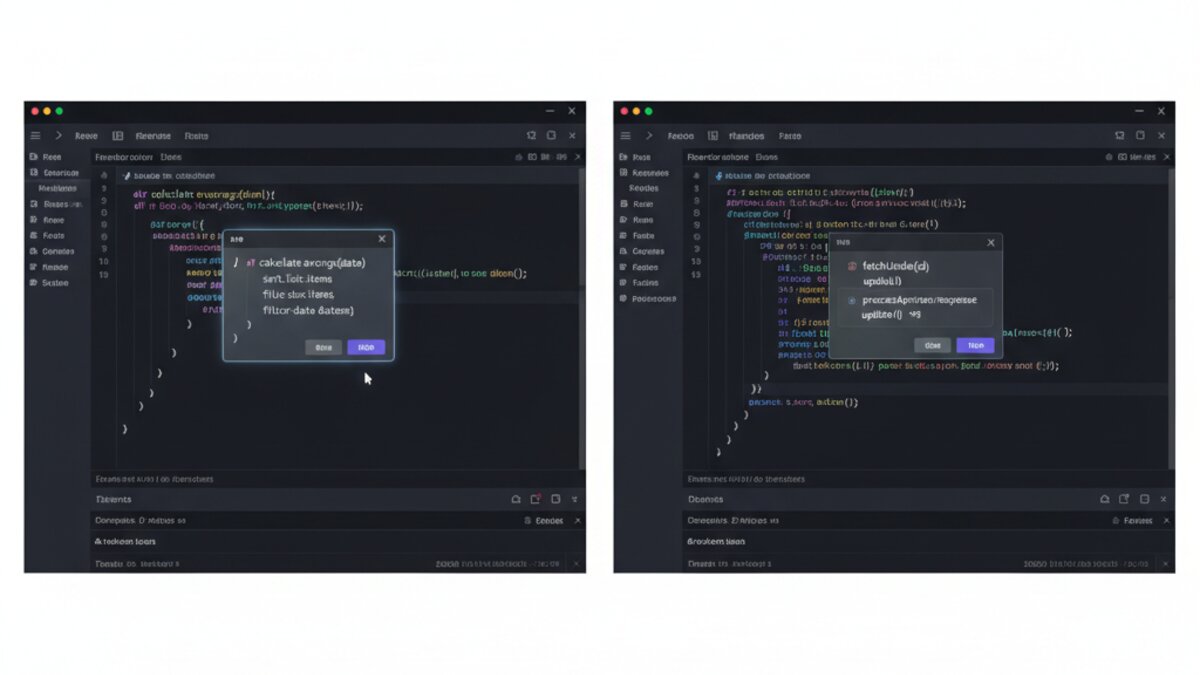

The AI coding assistant market has reached a genuine inflection point in 2026. Three tools now dominate the developer conversation: Cursor AI, GitHub Copilot, and Anthropic’s Claude Code. Each has a distinct philosophy, a different pricing model, and a different vision of what “AI-assisted development” actually means. If you’re trying to decide which to adopt—or whether to stack all three—this deep-dive has you covered.
Choosing the wrong tool is not just a productivity question; it affects how you architect code, how your team reviews PRs, and how much of your cognitive load you actually offload to the machine. The stakes are real. Let’s break it down.
Image: AI-generated
Cursor AI: The IDE-Native Bet
Cursor started as a fork of VS Code and has since become the reference point that every other tool is measured against. Its core insight was simple but powerful: instead of bolting an AI onto an existing editor, build the AI into the editor’s DNA from the start.
The flagship feature remains Composer—a multi-file, context-aware agent that can read your entire repo, understand your architecture, and generate or refactor code across dozens of files in a single instruction. In 2026, Composer has been upgraded with what Cursor calls “background agents,” which can spin up headless browser sessions, run test suites, and iterate autonomously until tests pass.
Cursor’s tab completion is also in a league of its own. It does not just complete the next token—it predicts entire logical blocks based on what you have been doing in the past few minutes. Developers who use it describe a “flow state” effect where the tool feels like it is reading their mind rather than just their cursor position.
Pricing: The Pro tier sits at $20/month, which buys 500 fast Composer requests and unlimited slow ones. Teams pricing scales to $40/user/month with centralized billing and usage dashboards. A free tier with limited completions is available for evaluation.
Best for: Individual developers and small teams who want the deepest possible IDE integration and are comfortable adopting a purpose-built editor.
GitHub Copilot: The Enterprise Default
If Cursor is the indie darling, GitHub Copilot is the enterprise standard. Microsoft’s integration advantage is hard to overstate: Copilot lives inside VS Code, JetBrains, Neovim, Xcode, and even the GitHub web editor. For teams already standardized on these environments, the zero-friction deployment is a serious selling point.
The 2026 iteration of Copilot—now powered by a mix of OpenAI’s GPT-5 variants and Microsoft’s own fine-tuned models—has closed much of the quality gap with Cursor. The Copilot Workspace feature, which allows natural-language task planning before any code is written, has matured into a genuinely useful project-scoping tool. You can describe a feature, see Copilot break it into a plan with file-level changes, approve or edit the plan, and then watch it execute.

Image: AI-generated
Copilot’s enterprise tier also includes security vulnerability scanning and a policy layer that lets IT teams restrict which models are used and what data leaves the environment—critical for regulated industries.
Pricing: Individual plan at $10/month (or $100/year). Business tier at $19/user/month. Enterprise with advanced security and policy controls at $39/user/month. GitHub student accounts still get Copilot free.
Best for: Larger engineering organisations, teams in regulated sectors, and developers who refuse to leave their existing IDE.
Claude Code: The Terminal-First Agent

Image: Anthropic / Claude
Anthropic’s Claude Code is the most philosophically distinct of the three. Rather than embedding in an IDE, it runs from the terminal and operates as an autonomous coding agent that can read, write, run, and debug code across an entire repository—without you ever opening a GUI.
Claude Code is built on Claude’s extended context window (currently 200K tokens) and its extended thinking capability, which means it can reason through complex architectural problems before writing a single line. Developers who work in large legacy codebases or complex microservice architectures find it particularly powerful: you can ask Claude Code to “add OAuth2 support to the authentication service, making sure it’s backward-compatible with the existing session tokens” and it will trace the dependency graph, write the code, update the tests, and explain every decision it made.
The tradeoff is that Claude Code is slower and more expensive than inline completions. It is not designed to replace tab completion; it is designed to replace the hour you spend planning, scaffolding, and wiring things together. Teams that use it most effectively tend to reach for Claude Code for complex, bounded tasks and lean on Cursor or Copilot for day-to-day completion.
Pricing: Claude Code usage is metered via Anthropic’s API. A Max subscription at $200/month includes generous Claude Code allowances. API-only users pay per token, with costs ranging from a few cents to a few dollars per complex task depending on context length.
Best for: Senior engineers tackling complex refactors, architects designing new systems, and teams that want an agent that can work autonomously on a well-scoped task.
Head-to-Head: How Do They Compare?
- Inline completion quality: Cursor wins, Copilot is close, Claude Code does not do inline completion.
- Multi-file agentic tasks: Claude Code leads for complexity; Cursor’s Composer is excellent for speed.
- IDE flexibility: Copilot by a wide margin.
- Reasoning transparency: Claude Code’s extended thinking is unmatched.
- Enterprise controls: Copilot Enterprise is the most mature.
- Context window: Claude Code (200K) vs Cursor (repo-indexed) vs Copilot (variable).
- Price per month (individual): Copilot ($10) vs Cursor ($20) vs Claude Code (variable, approx. $20 to $50 for typical use).
The Stacking Strategy: Why Many Teams Use All Three
An emerging pattern among high-performance engineering teams in 2026 is deliberate stacking. The workflow looks like this: Cursor handles daily coding and inline completion; Claude Code handles complex planning and multi-file refactors; Copilot runs in CI/CD pipelines via its API for automated PR reviews and security scanning.
This is not redundancy—it is specialisation. Each tool has a sweet spot, and the cost of running all three is easily justified by the productivity gains. For a mid-size team, the all-in cost is roughly $60 to $80 per developer per month, comparable to a single SaaS subscription that would have been considered indispensable just a few years ago.
For teams that want to go deeper into API access and model routing across multiple providers—including accessing Claude, GPT-5, and Gemini from a single endpoint—OpenRouter is worth exploring as an infrastructure layer that sits beneath all three tools.
Which Should You Start With?
If you are a solo developer or startup with no IDE religion: start with Cursor. The productivity uplift is immediate and visceral. If you are rolling out to a team of 50+ with enterprise security requirements: Copilot Enterprise is the safer default. If you are a senior engineer who spends significant time on architecture and complex refactors: add Claude Code to whatever else you are already using.
The good news is that all three have generous free tiers or trials. There is no reason not to run each for a week on a real project and see which one changes how you think, not just how fast you type.
For a detailed breakdown of AI coding benchmarks across models, the SWE-bench leaderboard is the most credible independent benchmark available. For real-world developer sentiment, the Stack Overflow Developer Survey 2026 makes for essential reading.
Watch: Cursor vs Copilot vs Claude Code
Image: AI-generated
What to Read Next
- How to Choose the Best OpenRouter Model in 2026 for Coding and Agents
- Best AI Video Generation Tools in 2026: Kling, Runway, Pika, Veo 3 and More Reviewed
- AI News: Alibaba’s Qwen-Image 3.0, Microsoft/Mistral Infrastructure, and US Sanctions on Chinese AI
- Cursor Power-User Workflows: Composer, Rules & Multi-File AI Editing
- Browse all AI Stack Digest articles
Bookmark aistackdigest.com for daily AI tools, reviews, and workflow guides.
This article was produced with the assistance of AI tools and reviewed by the AIStackDigest editorial team.