
AI Tools & Automation Specialist
There's a new kind of AI coding assistant in town — and it doesn't live inside your editor. Claude Code is Anthropic's terminal-native agentic coding tool, designed to operate directly in your shell, understand your entire codebase, and carry out complex multi-step tasks without hand-holding. If you've been using tools like Cursor or GitHub Copilot, Claude Code represents a fundamentally different philosophy: less inline autocomplete, more autonomous agent. In this guide, you'll learn exactly how to set it up, when to use it, and how to get the most out of it for real-world development work.
What Is Claude Code?

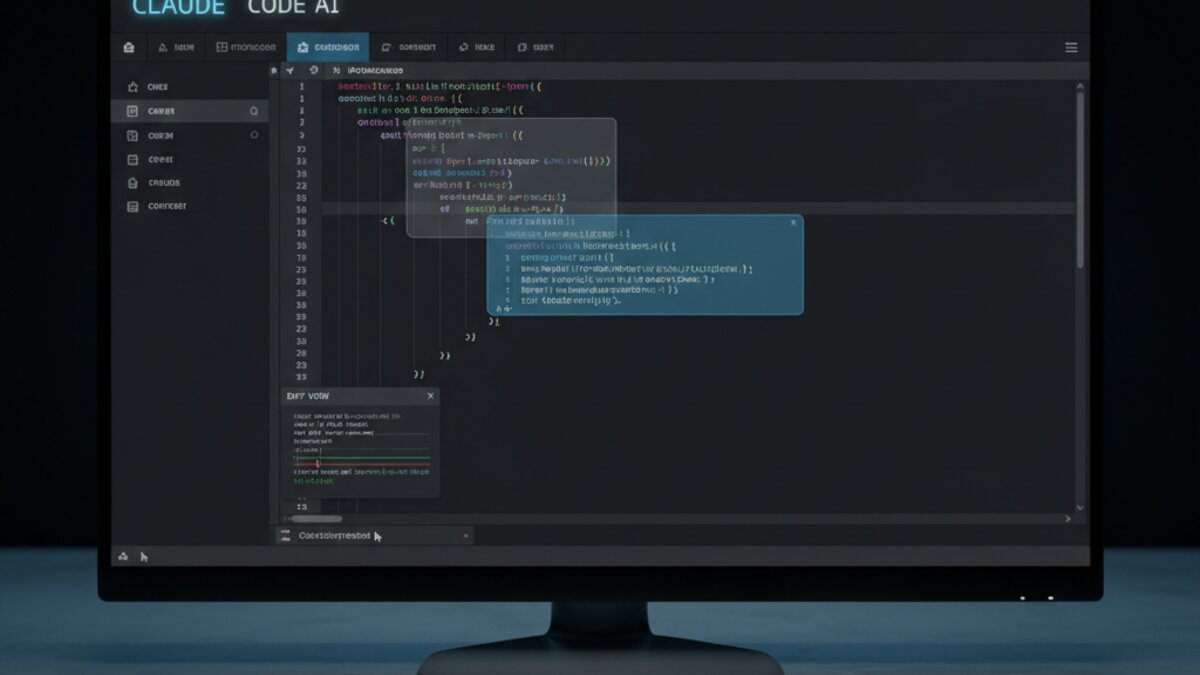
Image: Anthropic / Claude
Claude Code is a command-line AI agent built on Anthropic's Claude 3.5 and Claude 4 model family. Unlike editor-embedded tools that suggest the next few lines of code, Claude Code can read your entire project tree, understand context across dozens of files, execute shell commands, run tests, and iterate on fixes — all from your terminal. It was designed for developers who think in workflows rather than completions.
Key characteristics that set it apart:
- Terminal-first: Runs in any shell environment — local machine, SSH sessions, containers, CI pipelines
- Full codebase context: Reads and reasons about your entire repo, not just the open file
- Agentic loops: Can chain actions — write code, run tests, read the error, fix the code, re-run — without prompting
- Tool use: Executes bash commands, reads files, searches with grep, and more, natively
Installing and Setting Up Claude Code
Getting started takes about five minutes. You need Node.js 18+ and an Anthropic API key (or access through your organization's console).
Step 1 — Install via npm:
npm install -g @anthropic-ai/claude-codeStep 2 — Authenticate:
export ANTHROPIC_API_KEY=your_api_key_here
claude
The claude command drops you into an interactive session. Alternatively, pass a task directly:
claude "Refactor the auth module to use async/await throughout and add JSDoc comments"Step 3 — Run it inside your project root. Claude Code automatically scans your directory tree, reads relevant files, and builds context. The more organized your project structure, the better it performs. It respects .gitignore out of the box.
Core Workflows: What Claude Code Does Best
1. Autonomous Bug Fixing
This is where Claude Code genuinely shines. Give it a failing test or a bug description, and it will trace through the codebase, hypothesize causes, and apply fixes iteratively.
Fix the failing tests in tests/api/auth.test.ts — the JWT expiry validation is returning 200 instead of 401Claude Code will read the test file, trace the auth middleware, find the logic error, patch it, and re-run the test suite — reporting back at each step. For bugs that involve multiple files or layers of abstraction, this saves hours.
2. Large-Scale Refactoring
Refactoring across dozens of files is tedious and error-prone manually. Claude Code handles it systematically:
Migrate all database calls in /src/db/ from the legacy knex pattern to the new DrizzleORM schema defined in /src/schema.ts. Preserve all existing query logic.It will read your schema, understand the mapping, and apply consistent changes across every file — something no autocomplete tool can do.
3. Codebase Exploration and Explanation
Dropped into an unfamiliar repo? Claude Code acts as your tour guide:
Explain how authentication works in this codebase, from the login endpoint to session storage. Include which files are involved.This is dramatically faster than reading through files manually, especially for onboarding to large projects.
4. Writing and Running Tests
Write comprehensive unit tests for /src/services/payment.ts using Vitest. Mock the Stripe client. Aim for 90%+ coverage of the exported functions.Claude Code will analyze the module's exports, write the test file, execute it, and fix any failures before handing back.
Power Tips for Getting Better Results
Be Specific About Constraints
Vague prompts produce vague results. Always specify: the file paths involved, the framework/library in use, what should not change, and what the success condition looks like. Compare these two prompts:
Weak:
Fix the login bugStrong:
The login endpoint at /src/routes/auth.ts is returning a 500 error when the user email contains a plus sign. Fix it without changing the response schema. Tests are in tests/auth.test.ts.Use CLAUDE.md for Persistent Context
Create a CLAUDE.md file at your project root. Claude Code reads this automatically at the start of every session. Use it to encode project conventions, stack details, and preferred patterns:
# Project: MyApp API
Stack: Node.js 22, TypeScript, Fastify, DrizzleORM, PostgreSQL
Testing: Vitest — run with `npm test`
Style: Prefer async/await over callbacks. No any types.
Do not modify migration files directly — use the migration generator.
This eliminates the need to re-explain your stack on every task.
Interrupt and Steer Mid-Task
Claude Code runs interactively. If it starts going in the wrong direction, press Escape to interrupt and redirect. You don't need to wait for it to finish a bad path.
Chain Tasks Naturally
You can build on previous work in the same session. After one task completes, just continue:
Good. Now add input validation to the new endpoint using Zod, matching the pattern in /src/routes/users.tsClaude Code retains full context of what it just did.
Claude Code vs. Editor-Based Tools
Claude Code isn't a replacement for tools like Cursor — it's a complement. The right mental model:
- Use Cursor / Copilot for: flow-state coding, inline completions, quick edits, UI work where visual context matters
- Use Claude Code for: cross-file refactors, autonomous bug hunts, batch test generation, codebase analysis, terminal-centric workflows (remote servers, containers, CI)
Many developers run both: an editor tool for active coding sessions, and Claude Code for larger autonomous tasks kicked off from the terminal.
Pricing and API Costs
Claude Code bills against your Anthropic API usage. A typical mid-complexity task (multi-file refactor, test generation) consumes roughly 50k–200k tokens. At Claude Sonnet 4 rates (~$3 input / $15 output per million tokens), most tasks run under $0.50. Token usage is displayed after each session. For heavy users, Anthropic offers Max plans with usage-based billing that can reduce costs significantly. You can also route Claude Code through OpenRouter for flexible model access and cost control across providers.
Getting Started Today
If you're comfortable in the terminal and regularly work across multi-file codebases, Claude Code is worth trying this week. Start with a real but low-risk task: ask it to write tests for an existing module, or have it explain an unfamiliar part of your codebase. That first session will make the value proposition immediately clear.
The era of AI as a passive autocomplete engine is giving way to AI as an active collaborator — one that can take a task description and run with it. Claude Code is one of the clearest examples of that shift available today.
What to Read Next
- Document-Borne AI Worms in Microsoft 365: How Self-Propagating Prompts Work in 2026
- Runway Review 2026: The AI Video Platform That Turned a Bug Into a Feature
- Higgsfield AI Review 2026: One Login, Every Frontier Video Model
- AI Companies Destroying Rare Books in 2026: Inside the Controversial Training-Data Pipeline
- Browse all AI Stack Digest articles
Bookmark aistackdigest.com for daily AI tools, reviews, and workflow guides.
This article was produced with the assistance of AI tools and reviewed by the AIStackDigest editorial team.