

AI Business & Strategy Analyst
AI video generation has crossed a threshold in 2026. What once took professional studios, motion designers, and days of rendering can now be conjured in minutes from a text prompt or a single image. The tools have matured past gimmick status into genuine production utilities — and the pace of improvement shows no sign of slowing. Whether you’re a solo content creator, a marketing team, or an indie filmmaker, there has never been more high-quality choice — or more confusion about which tool actually delivers.
This week, we benchmarked the seven most significant AI video generation platforms available right now, testing them across quality, controllability, pricing, and real-world usability. Here is the definitive ranking for September 2026.
1. Google Veo 3.1 — Best Overall Quality
Google’s Veo 3.1 is the reigning benchmark for raw video quality. Released quietly in August 2026 as an incremental update to Veo 3, it delivers cinematic 4K output with native audio generation — ambient sound, dialogue, even music cues — baked directly into the generation pipeline. The physics simulation is noticeably more coherent than earlier generations: liquids flow realistically, cloth folds correctly, and camera movement feels genuinely motivated rather than algorithmically random.
Access is through Google’s VideoFX and via the Gemini Ultra subscription tier, with API availability through Google AI Studio. Enterprise pricing is on request, while consumer access sits behind the $34.99/month Gemini Ultra plan.
- Pros: Best-in-class photorealism; native audio generation; strong physics; 4K output; Google DeepMind safety stack is production-mature
- Cons: Limited consumer access; no direct download in free tier; prompt adherence can still drift on complex scenes; enterprise pricing is opaque
2. Runway Gen-4 — Best for Creative Control
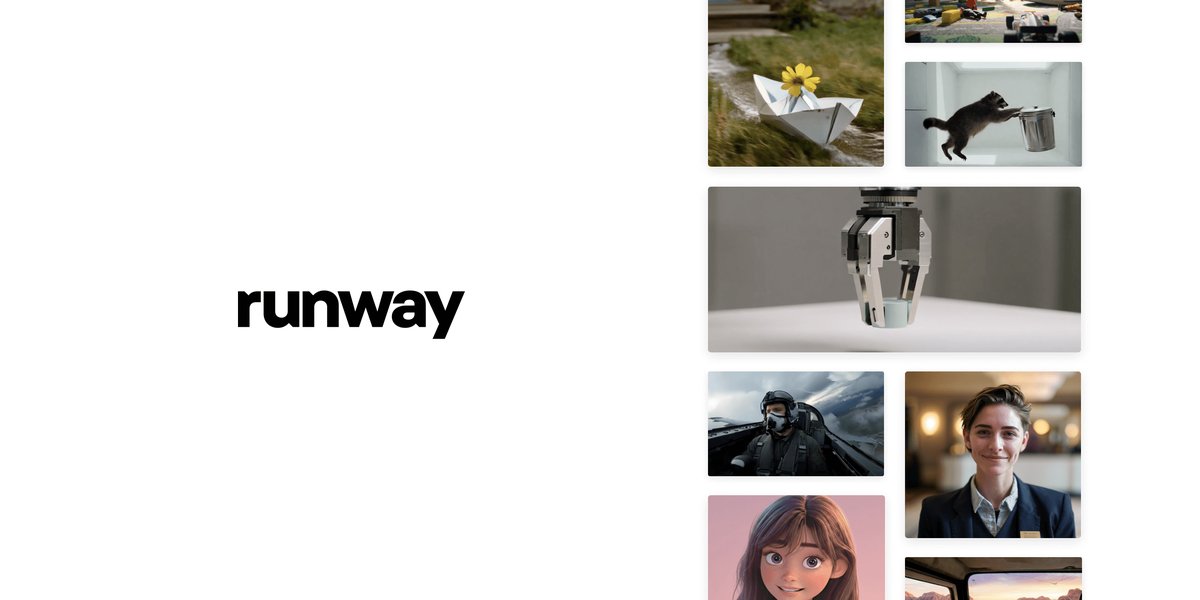
Image: Runway ML
Runway has always prioritised the creative professional over the casual user, and Gen-4 doubles down on that positioning. The headline feature is Reference Boards — a system that lets you pin visual references for character consistency, lighting style, and environment across a multi-clip project. This is the closest any AI tool has come to enabling genuine narrative video production rather than isolated clip generation.
Gen-4 also introduced Act-One motion capture integration, letting you drive character animation from webcam or phone footage without a motion capture suit. For short-form narrative content, brand storytelling, and music videos, Runway Gen-4 is the most capable tool on the market. Pricing starts at $15/month for the Standard plan (625 credits) and scales to $35/month for Pro.
- Pros: Reference Board system for character/style consistency; Act-One motion capture; strong community and tutorials; API available; active development cadence
- Cons: Credit system can feel restrictive for heavy users; raw realism still behind Veo 3.1; audio generation is an add-on rather than native
3. Kling 3.0 — Best Value for Money
Kling AI, developed by Kuaishou, has become the go-to tool for creators who need high quality at an accessible price point. Kling 3.0 — released in late July 2026 — delivers 1080p output that genuinely competes with Runway and Sora at a fraction of the cost. The camera control system, now dubbed CineCam 3.0, offers intuitive pan, zoom, and orbit controls with remarkably stable motion.
The free tier is genuinely usable (66 daily credits, enough for several short clips), and the Pro plan at $8.99/month makes Kling the most accessible premium-quality option. It’s also available via OpenRouter for API-based workflows, making it easy to integrate into automated pipelines.
- Pros: Excellent price-to-quality ratio; generous free tier; CineCam 3.0 camera controls; fast generation (under 2 minutes for 5-second clips); API available
- Cons: Occasionally struggles with hands and fine facial details; content moderation can be overzealous; Chinese-origin platform raises data privacy questions for some enterprise users
4. Sora 2 — Best for OpenAI Ecosystem Users
OpenAI’s Sora 2 arrived in March 2026 with significant improvements over the original. The key advance is Storyboard Mode, which lets users chain scenes with shared context, enabling multi-shot sequences that maintain consistent world physics and character appearance. Integration with ChatGPT means you can iterate on prompts conversationally, refining outputs through dialogue rather than trial-and-error text prompts.
Sora 2 is included in the ChatGPT Plus ($20/month) and Pro ($200/month) plans, with the Pro tier unlocking 4K output and longer clips. For users already embedded in the OpenAI ecosystem, the workflow integration is a genuine differentiator. Standalone quality is strong, though it trails Veo 3.1 for photorealism.
- Pros: Native ChatGPT integration for conversational iteration; Storyboard Mode for multi-scene projects; strong prompt adherence; included in existing OpenAI subscriptions
- Cons: 4K locked to $200/month Pro plan; generation speed slower than Kling; tends toward over-saturated, slightly “AI-looking” aesthetics
5. Pika 2.2 — Best for Quick Social Content
Pika has carved out a smart niche: fast, fun, and optimised for social-first content. Version 2.2 introduced Pikaffects — a library of viral-ready transformations (melting, exploding, morphing) that can be applied to any image or video — and Pika Scenes, a drag-and-drop multi-clip builder optimised for vertical video.
The speed is genuinely impressive. Simple generations complete in under 30 seconds, which fundamentally changes the creative workflow — you can iterate rapidly rather than waiting minutes per attempt. For social media managers, influencers, and brand accounts producing high-volume short-form content, Pika 2.2 is the most efficient tool in this roundup. Plans start at $8/month.
- Pros: Fastest generation times (under 30 seconds for simple clips); Pikaffects library for viral content; intuitive Pika Scenes editor; excellent mobile experience
- Cons: Not suited for cinematic or long-form work; quality ceiling lower than Runway/Veo; Pikaffects can look repetitive at scale
6. Luma Dream Machine 2.0 — Best for Image-to-Video
Luma’s Dream Machine 2.0 has become the default recommendation for image-to-video workflows. Feed it a still image — a product photo, an illustration, a render — and it generates a believable, physics-coherent video clip. The Extend feature lets you loop or continue clips seamlessly, and the new Keyframe system allows you to define start and end frames for precise motion control.
For e-commerce brands animating product photography, architects visualising renders, and artists bringing illustrations to life, Dream Machine 2.0 is unmatched. The free plan offers 30 generations per month; the Pro plan ($29.99/month) removes watermarks and unlocks 4K output.
- Pros: Best image-to-video fidelity on the market; Keyframe control for precise animation; Extend feature for seamless looping; API available; strong e-commerce use case
- Cons: Text-to-video is secondary to image-to-video focus; relatively expensive at Pro tier; generation speed moderate (2–4 minutes for HD clips)
7. Higgsfield AI — Best for Cinematic Realism
Higgsfield is the dark horse of this roundup. A relative newcomer that launched in late 2025, it has built a reputation for producing some of the most cinematic-looking AI footage available — particularly for human subjects and natural environments. The Social platform lets creators share and remix generations, building a community dimension that the larger players lack.
The technical differentiator is Higgsfield’s Diffuse model, which approaches video generation through a physics-first lens. Water, fire, smoke, and fabric all behave with unusual fidelity. It’s a narrower tool than Runway or Kling — less flexibility, fewer features — but within its sweet spot, it’s extraordinary. For workflow automation at scale, pairing Higgsfield with an orchestration tool like Make.com can unlock serious content production pipelines.
- Pros: Best-in-class physics simulation; exceptional natural environment footage; active creator community; competitive pricing ($12/month Pro); genuinely surprising quality for the price
- Cons: Narrower feature set than established players; limited camera control options; smaller model variety; company is less established (longevity risk)
Comparison Table
| Tool | Best For | Max Quality | Free Tier | Starting Price | API |
|---|---|---|---|---|---|
| Google Veo 3.1 | Overall quality | 4K + audio | Limited | $34.99/mo | ✅ |
| Runway Gen-4 | Creative control | 4K | 125 credits | $15/mo | ✅ |
| Kling 3.0 | Value for money | 4K | 66 daily credits | $8.99/mo | ✅ |
| Sora 2 | OpenAI users | 4K (Pro) | No | $20/mo (Plus) | ✅ |
| Pika 2.2 | Social content | 1080p | 30 credits/mo | $8/mo | ✅ |
| Luma Dream Machine 2.0 | Image-to-video | 4K (Pro) | 30 gen/mo | $29.99/mo | ✅ |
| Higgsfield AI | Cinematic realism | 1080p | Limited | $12/mo | ✅ |
The Verdict
The honest answer is that the best tool depends entirely on your use case — but here is how we’d cut it:
For pure quality and production-grade output: Google Veo 3.1 is currently the benchmark. If you have access and budget, nothing else matches the photorealism and integrated audio pipeline.
For narrative and creative filmmaking: Runway Gen-4 is the professional’s choice. The Reference Board system and Act-One motion capture make it the only tool genuinely suited to storytelling.
For budget-conscious creators: Kling 3.0 offers the best value in the market. The free tier alone outperforms what was cutting-edge paid software two years ago.
For social media at scale: Pika 2.2 wins on speed and volume. Thirty-second generations change the creative workflow entirely when you’re producing multiple clips per day.
For product and still-image animation: Luma Dream Machine 2.0 is the specialist recommendation. No other tool handles the image-to-video pipeline with the same fidelity.
The broader picture is remarkable: in September 2026, a solo creator with a $20/month budget can produce video content that would have required a production company in 2023. The question is no longer whether AI video tools are good enough — it’s which one fits your workflow. Our recommendation is to start with Kling 3.0’s free tier to learn the fundamentals, then graduate to Runway Gen-4 or Veo 3.1 as your use cases become more demanding.
The tools are ready. The only question is what you’ll make with them.
What to Read Next
- Best OpenRouter Models in 2026: Schematron, DeepSeek, Fugu, and Mercury Compared
- OpenAI Keeps Re-Enabling Training on Your Data: How to Protect Your Privacy in 2026
- Hallucination: What It Means in AI and Why It Matters (2026 Guide)
- OpenAI Launches GPT-Live-1 API with Full-Duplex Speech: A Quantum Leap in Real-Time Conversational AI
- Browse all AI Stack Digest articles
Bookmark aistackdigest.com for daily AI tools, reviews, and workflow guides.
This article was produced with the assistance of AI tools and reviewed by the AIStackDigest editorial team.