

AI Business & Strategy Analyst
AI video generation has crossed a threshold in 2026. What used to require a production crew, expensive software licenses, and weeks of rendering time can now be accomplished in minutes with a text prompt. The market has exploded: from cinematic long-form generators to instant social-clip makers, there are now more tools than any one person can reasonably evaluate.
We did the heavy lifting for you. Over the past several weeks, we tested seven of the most talked-about AI video generation platforms, running them through a gauntlet of real-world use cases: marketing explainers, social media shorts, product demos, and creative storytelling. The result is this definitive guide to the best AI video generation tools available right now.
Whether you are a solo content creator, a marketing team, or a developer building video into a product, there is a tool on this list that fits your workflow. Let us get into it.
1. Runway Gen-4
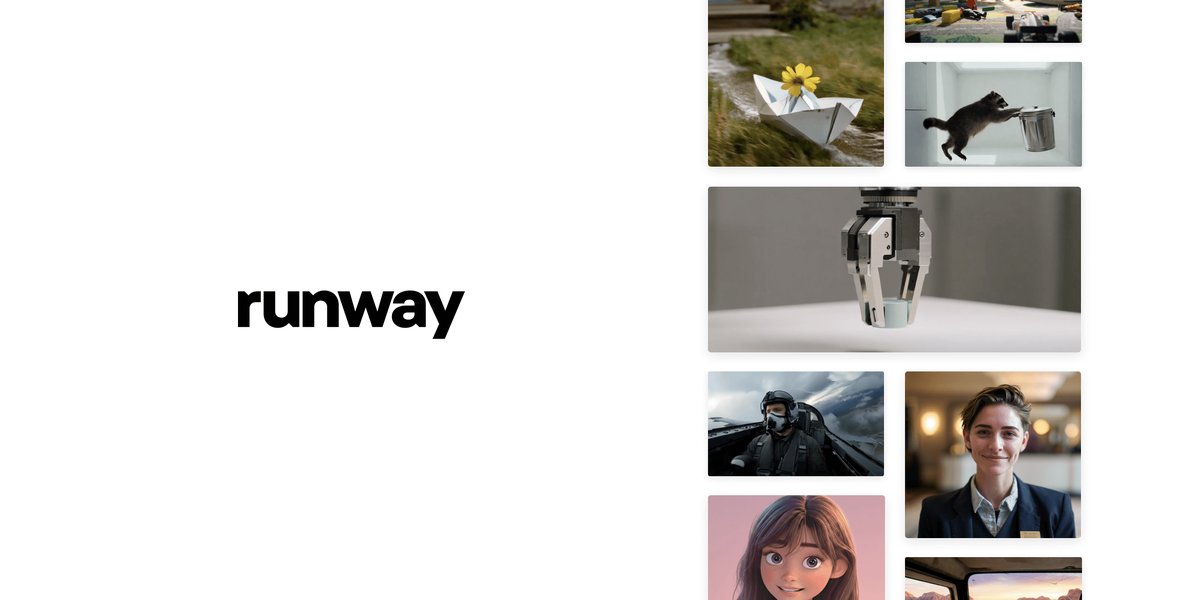
Image: Runway ML
Best for: Cinematic quality and creative control
Runway has been the gold standard for AI video since Gen-2 turned heads in 2023, and Gen-4 cements that reputation. The latest release brings genuinely cinematic output: consistent lighting, realistic motion physics, and a new camera control system that lets you specify pan, tilt, zoom, and tracking shots with natural-language commands. The results regularly fool people into thinking they are watching real footage.
Gen-4 also introduces character consistency — you can lock a subject’s appearance across multiple generations, which is a game-changer for anyone building episodic content or branded video series. The interface is polished, the tutorials are excellent, and the community around Runway is one of the most active in the AI creative space.
The price is the catch. Runway’s standard plan starts at $15/month for 625 credits, but serious production work will push you into the $35–$95/month tiers quickly. For enterprise teams, the cost is justifiable. For hobbyists, it can feel steep.
- Pros: Best-in-class cinematic quality, character consistency, excellent camera controls, strong community and tutorial library, reliable uptime
- Cons: Expensive at scale, credit system can be confusing, generation times can be slow during peak hours
Pricing: Free tier (limited) | Standard $15/mo | Pro $35/mo | Unlimited $95/mo
Best suited for: Filmmakers, marketing agencies, content studios
2. Kling 2.0
Best for: Realistic motion and physics at a lower price point
Kling, from Chinese AI lab Kuaishou, has quietly become one of the most impressive video generators available in 2026. Version 2.0 introduced a major leap in motion realism: water flows believably, cloth moves with gravity, and human walk cycles no longer look like glitched NPCs. It is particularly strong on physical simulations, making it a favourite for product demos where you need a bottle to pour, a car to accelerate, or fabric to billow in wind.
The platform offers both text-to-video and image-to-video modes, and the latter is exceptional. Upload a still photograph and Kling will animate it with physics-aware motion that feels natural. For e-commerce teams looking to bring product photography to life, this feature alone justifies the subscription.
The interface is improving but still has rough edges for Western users, and the free tier is limited to watermarked 720p output. Customer support response times can be slow, which is worth factoring in if you are using it for production work.
- Pros: Outstanding physical realism, excellent image-to-video, competitive pricing, strong 1080p output on paid plans
- Cons: Interface feels less polished than Runway, slower customer support, watermark on free tier, occasional prompt misinterpretation on complex scenes
Pricing: Free (watermarked) | Standard ~$10/mo | Pro ~$35/mo
Best suited for: E-commerce, product marketing, social media content
3. Pika 2.2
Best for: Speed, ease of use, and social-first content
Pika has always prioritised accessibility over depth, and version 2.2 doubles down on that philosophy with a redesigned interface that gets you from prompt to video in under 60 seconds. The Pikaffects feature — one-click stylistic presets — makes it trivially easy to apply cinematic looks, cartoon styles, or motion-graphic aesthetics without any prompt engineering knowledge.
For social media teams on tight timelines, Pika is hard to beat. The automatic aspect-ratio conversion is seamless: generate once in 16:9 and instantly export vertical 9:16 and square 1:1 versions optimised for TikTok, Instagram Reels, and YouTube Shorts respectively. The integration with Adobe Express further streamlines workflows for teams already in the Adobe ecosystem.
Where Pika falls short is in longer-form content and fine-grained control. Generations max out at 10 seconds, and while you can chain clips together, it is not designed for anything approaching a minute of coherent footage. Prompt adherence can also be inconsistent — Pika will sometimes prioritise visual appeal over literal accuracy.
- Pros: Extremely fast generation, beginner-friendly, multi-format export, Adobe integration, strong preset library
- Cons: 10-second clip limit, less precise prompt adherence, limited camera control vs. Runway, not suitable for long-form
Pricing: Free (5 videos/day) | Basic $8/mo | Standard $28/mo
Best suited for: Social media managers, content creators, marketing teams
4. Sora (OpenAI)
Best for: Narrative coherence and complex scene understanding
OpenAI’s Sora, now out of its turbulent launch phase and fully integrated into ChatGPT Plus and Pro subscriptions, has matured into one of the most capable long-form video generators available. Its standout differentiator remains scene persistence: characters maintain their appearance across cuts, the lighting is consistent, and the narrative logic of a scene holds together across 20+ seconds of generation — something rivals still struggle with.
The Storyboard feature, added in a mid-2026 update, is genuinely innovative: you can sketch a rough visual timeline, annotate it with text descriptions, and Sora will generate matching footage for each segment. It is not perfect, but it dramatically reduces the gap between concept and execution for storytellers who think visually.
The main limitation is access. Sora requires a ChatGPT Pro subscription ($200/month) for the highest quality outputs, and even Plus users are subject to generation limits that can feel frustrating during crunch time. The API access, while available, is priced for enterprise budgets. For individual creators on a tight budget, this is not the entry point.
- Pros: Best narrative and scene coherence, strong character consistency, Storyboard feature, tight ChatGPT ecosystem integration
- Cons: Expensive (Pro required for full quality), generation quotas, API pricing is enterprise-tier, no standalone free tier
Pricing: ChatGPT Plus $20/mo (limited Sora) | ChatGPT Pro $200/mo (full access)
Best suited for: Filmmakers, narrative content creators, enterprise teams already paying for ChatGPT Pro
5. Google Veo 3
Best for: Native audio and Google Workspace integration
Google’s Veo 3, available through VideoFX and the Gemini API, made waves at Google I/O 2026 for a feature that sounds simple but changes everything: native audio generation. Veo 3 does not just generate video — it generates synchronised ambient sound, dialogue, and sound effects in a single pass. A prompt describing a rainy street scene produces both the visual and the sound of rain hitting cobblestones. A person talking in the video says words that match their lip movements.
This is a significant workflow leap. Previous pipelines required generating video, then separately sourcing or generating audio, then syncing them — a time-consuming process. Veo 3 collapses that into one step, and the quality of the audio is genuinely impressive for a first major release.
The trade-off is that Veo 3 is currently more accessible through the Gemini API than through a polished consumer interface, meaning it skews toward developers. The VideoFX consumer product is improving but lags behind Runway and Pika in UX. Throughput can also be slow during peak usage.
- Pros: Native audio-video generation (industry first at this quality), strong integration with Google Cloud and Workspace, excellent prompt comprehension from Gemini backbone
- Cons: Consumer UI still maturing, API-first approach requires technical setup, slower throughput vs. Pika, limited to Google Cloud region availability
Pricing: Free limited access via VideoFX | API: Pay-per-second via Google Cloud (varies)
Best suited for: Developers, Google Cloud users, teams needing audio-video sync
6. Luma Dream Machine 2.0
Best for: Photorealistic quality on a budget
Luma AI’s Dream Machine 2.0 punches significantly above its price weight. For teams and creators who want near-photorealistic output without paying Runway prices, this is the strongest alternative on the market. Version 2.0 introduced improved facial realism and a multi-shot generation mode that can produce up to three consecutive 5-second clips with visual continuity.
The API is clean and well-documented, making Dream Machine one of the most popular choices for developers building video into applications. The OpenRouter integration allows developers to route to Dream Machine alongside other models, compare outputs programmatically, and manage costs across a unified billing system — a significant convenience for teams experimenting across providers.
The main limitation is that Dream Machine still trails Runway and Sora in complex scene understanding and camera control. It excels at isolated subjects and environments but can struggle with multi-character interactions or precise compositional direction.
- Pros: Excellent photorealism-to-cost ratio, clean API, multi-shot continuity, strong developer documentation
- Cons: Weaker on complex multi-character scenes, limited camera control language, shorter max clip length
Pricing: Free (30 generations/day) | Plus $29.99/mo | Pro $99.99/mo
Best suited for: Developers, budget-conscious creators, API-first workflows
7. HeyGen 3.0
Best for: AI avatars and multilingual video production
HeyGen occupies a distinct niche that no other tool on this list fully addresses: human-avatar video for business communications, training, and marketing. Version 3.0’s avatars have crossed a significant realism threshold — in A/B tests run by several marketing teams, viewers no longer consistently identify them as AI-generated when presented alongside real talking-head footage.
The multilingual capability is HeyGen’s killer feature for global teams. You can record or upload a 2-minute reference video, and HeyGen will generate that same presentation in 40+ languages, lip-synced to the translated audio, with the avatar maintaining your appearance and speaking style. For businesses running international campaigns or training programmes, this replaces an enormous amount of localisation budget.
The automation potential is also notable: using platforms like Make.com, teams can build pipelines that auto-generate personalised HeyGen videos from CRM data, delivering custom-named video messages to prospects or customers at scale without manual production work.
- Pros: Most realistic AI avatars available, 40+ language lip-sync, excellent for training and marketing, strong automation API
- Cons: Not suited for cinematic or creative video, expensive for high-volume use, avatar realism can still slip on fast speech or complex expressions
Pricing: Free (1 credit/month) | Creator $29/mo | Business $89/mo | Enterprise custom
Best suited for: Marketing teams, L&D professionals, global businesses, sales enablement
Comparison Table: Best AI Video Generation Tools (September 2026)
| Tool | Best For | Max Clip Length | Native Audio | Free Tier | Starting Price | Ease of Use |
|---|---|---|---|---|---|---|
| Runway Gen-4 | Cinematic quality | 16 sec | No | Yes (limited) | $15/mo | ⭐⭐⭐⭐ |
| Kling 2.0 | Realistic physics | 30 sec | No | Yes (watermark) | ~$10/mo | ⭐⭐⭐ |
| Pika 2.2 | Social content speed | 10 sec | No | Yes (5/day) | $8/mo | ⭐⭐⭐⭐⭐ |
| Sora (OpenAI) | Narrative coherence | 20+ sec | No | Via Plus | $20/mo (Plus) | ⭐⭐⭐⭐ |
| Google Veo 3 | Native audio+video | ~30 sec | Yes | Yes (VideoFX) | API pricing | ⭐⭐⭐ |
| Luma Dream Machine 2.0 | Photorealism on budget | 10 sec | No | Yes (30/day) | $29.99/mo | ⭐⭐⭐⭐ |
| HeyGen 3.0 | AI avatars & localisation | Custom | Yes (lip-sync) | Yes (1 credit) | $29/mo | ⭐⭐⭐⭐ |
The Verdict: Which AI Video Tool Should You Choose?
The right tool depends entirely on your use case, and thankfully, the market in September 2026 has a strong option for almost every scenario.
For the highest quality cinematic output, Runway Gen-4 remains the benchmark. If your work will appear in professional contexts — brand campaigns, film projects, high-production marketing — the premium is worth paying.
For social media and content creation speed, Pika 2.2 wins on ease of use and turnaround time. The free tier is generous enough to test seriously before committing to a subscription.
For developers and API-first teams, Luma Dream Machine 2.0 offers the best balance of quality, documentation, and cost. Its integration with routing layers like OpenRouter makes it easy to evaluate in multi-model workflows.
For global business communications, nothing touches HeyGen 3.0. If you need to localise video content across languages or scale personalised talking-head video, it is the clear choice.
For the forward-thinking team that wants to get ahead of the audio-video convergence trend, Google Veo 3 is worth investing time in now. Native audio generation is going to become a baseline expectation within the next 12 months — teams that build those workflows early will have a meaningful advantage.
AI video generation is no longer experimental technology. It is a practical production tool. The question is not whether to adopt it, but which tool fits your workflow today — and which one will still be the right choice when the market inevitably shifts again six months from now.
Real-time AI video generation has emerged as the most significant breakthrough in 2026, with platforms now offering near-instantaneous video creation from text prompts. Unlike earlier generations that required lengthy rendering times, today’s leading tools like Kling AI and Google’s Veo 3 can generate high-quality video content in seconds, revolutionizing content creation workflows for marketers, filmmakers, and social media creators.
The demand for real-time AI video platforms has skyrocketed as businesses seek to create dynamic content for social media, advertising, and training materials without traditional production costs. Our testing focused specifically on generation speed, output consistency, and real-time editing capabilities—key factors that separate the top contenders from legacy systems that still require minutes or hours per generation.
What to Read Next
- Google AI Mode vs Traditional Search 2026: The Looming Price Shock Explained
- Best AI Video Tools in September 2026: A Comprehensive Overview
- GPT-6 Astra Review 2026: Hands-On Tests vs Gemini 3.8 Flash Performance
- AI Investment Boom Continues, Ethical Debates Intensify, and US Government Weighs in on Copyright
- Browse all AI Stack Digest articles
Bookmark aistackdigest.com for daily AI tools, reviews, and workflow guides.
This article was produced with the assistance of AI tools and reviewed by the AIStackDigest editorial team.