

The AI coding assistant landscape has matured dramatically in 2026. What began as experimental autocomplete plugins has evolved into fully agentic coding environments that can read your codebase, write multi-file features, debug production issues, and even run tests on your behalf. But with so many options now competing for your dev workflow, which tool actually deserves a place in your stack?
In this deep-dive, we compare the four most prominent AI coding assistants of 2026: Cursor, GitHub Copilot, Continue.dev, and Codeium. We look at autocomplete quality, agentic capabilities, pricing, privacy, and real-world developer experience to help you make the right call.

Image: AI-generated
Why AI Coding Tools Matter More Than Ever in 2026
According to the Stack Overflow Developer Survey 2026, over 78% of professional developers now use an AI coding assistant regularly — up from 44% just two years ago. The productivity gains are real: developers report writing first drafts of features 40–60% faster, spending less time on boilerplate, and catching bugs earlier in the development cycle.
But productivity isn’t the only metric that matters. As these tools become embedded deeper into daily workflows, questions of data privacy, model quality, IDE compatibility, and total cost of ownership are increasingly important. Let’s break each contender down.
Cursor: The Agentic IDE That Changed the Game
Cursor is no longer just an AI-enhanced code editor — it’s an opinionated development environment built around the assumption that AI should be your primary collaborator, not a sidebar widget. Built on a fork of VS Code, Cursor feels immediately familiar to most developers while offering capabilities that go well beyond any plugin.
The standout feature in 2026 is Cursor Agent Mode. Rather than responding to individual prompts, Cursor’s agent can be given a multi-step objective — “add OAuth2 login to this Express app” — and will autonomously plan, write, and iterate across multiple files while explaining its reasoning. It supports tool use (running terminal commands, reading docs, checking test output) and can loop until the tests pass.
- Autocomplete: Best-in-class tab completion with multi-line predictions and diff previews
- Models available: Claude Sonnet, GPT-4o, Gemini 2.5 Pro (user-selectable)
- Context window: Up to 200K tokens for large codebase awareness
- Privacy mode: Available — disables training data sharing
- Pricing: Free tier (limited); Pro at $20/month; Business at $40/user/month
The main trade-off? Cursor is a standalone app. If your team is standardised on JetBrains IDEs or Neovim, onboarding friction is real. That said, for new projects or solo developers, it’s arguably the most productive environment available today.
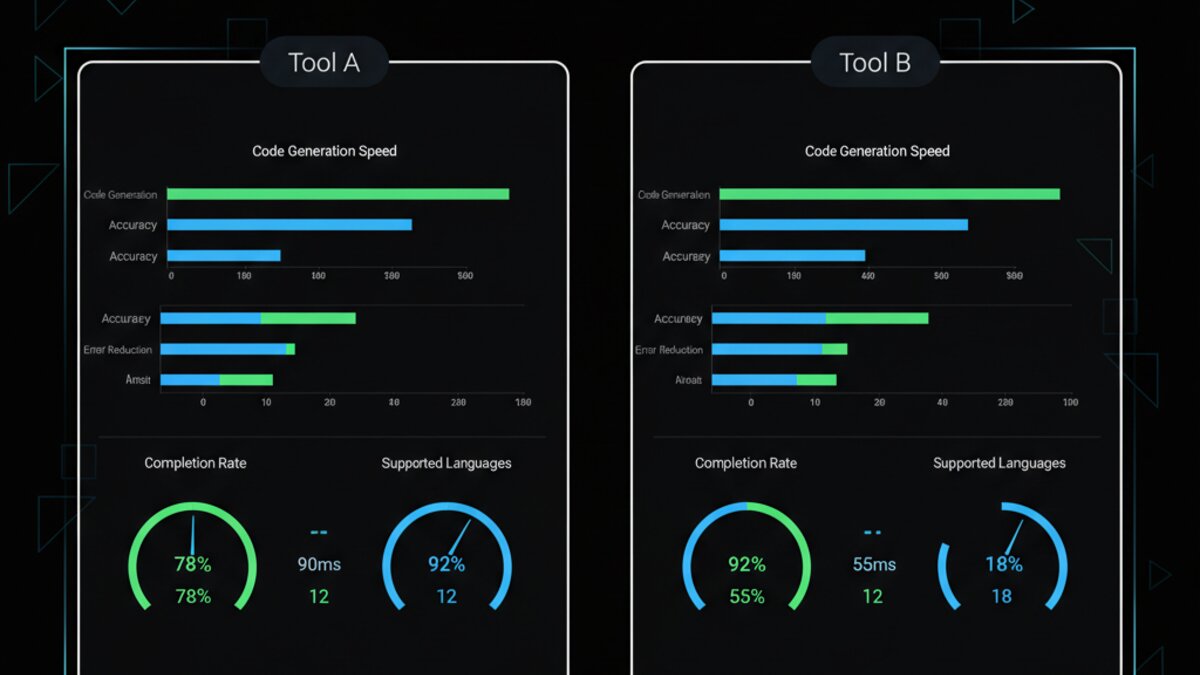
Image: AI-generated
GitHub Copilot: The Enterprise Standard
Image: Microsoft Copilot
GitHub Copilot remains the most widely deployed AI coding tool in enterprise environments, and for good reason. Deep integration with GitHub, strong VS Code and JetBrains support, and Microsoft’s enterprise compliance infrastructure make it the default choice for regulated industries and larger teams.
The Copilot Workspace feature, now fully GA, allows developers to describe a task in natural language and receive a full implementation plan with file-level diffs before a single line is written. It’s a more controlled, auditable approach to agentic coding — better suited to teams that need traceability.
- Autocomplete: Excellent, with context from your entire repo via GitHub’s code index
- Models available: GPT-4o, Claude 3.7 Sonnet (via model picker)
- IDE support: VS Code, JetBrains, Neovim, Eclipse, Xcode
- Enterprise features: SSO, audit logs, IP indemnification, private model fine-tuning
- Pricing: Individual $10/month; Business $19/user/month; Enterprise $39/user/month
Copilot’s weakness in 2026 is largely one of innovation pace. It lacks the raw agentic autonomy that Cursor delivers, and developers accustomed to Cursor’s fluid chat-in-editor experience often find Copilot’s UX more fragmented. But for teams that live in GitHub and need compliance guarantees, it remains indispensable.
Continue.dev: The Open-Source Challenger
Continue.dev has quietly become the go-to choice for developers who want AI coding assistance without vendor lock-in. As a fully open-source VS Code and JetBrains extension, Continue lets you connect to any LLM backend — whether that’s a local Ollama model, an OpenAI-compatible API, or a hosted service like OpenRouter for routing across multiple providers.
This flexibility is Continue’s killer feature. Teams handling sensitive codebases can route through a locally deployed Llama 3 model, paying nothing per token. Startups can use OpenRouter to access cutting-edge frontier models at competitive rates. The extension is highly configurable via a config.yaml file, supporting custom slash commands, context providers (docs, web search, GitHub issues), and retrieval-augmented generation from your own codebase.
- Cost: Free (you pay only for model API usage)
- Model flexibility: Any OpenAI-compatible endpoint, local or cloud
- Privacy: Full — run entirely locally with no data leaving your machine
- Community: Active open-source community; 25K+ GitHub stars
- Limitation: Setup requires more technical investment than turnkey tools
Codeium (Windsurf): The Dark Horse
Formerly known for its aggressive free tier, Codeium rebranded its IDE product as Windsurf in late 2025 and has since carved out a strong niche with the Cascade agentic system. Windsurf Cascade can autonomously execute multi-step coding tasks with a level of polish that rivals Cursor, at a somewhat lower price point.
What sets Windsurf apart is its Flows architecture — a hybrid of agentic and copilot modes that lets the AI adapt its level of autonomy based on task complexity. Simple completions stay fast and local; complex refactors trigger deeper planning. The result is a tool that feels responsive for everyday coding while still being capable of larger autonomous tasks.
- Pricing: Free tier (generous); Pro at $15/month
- Best for: Developers who want Cursor-like power at a lower cost
- IDE: Standalone (VS Code fork), VS Code extension in beta
- Models: Proprietary Claude + GPT-4o backend; less model choice than Cursor
Head-to-Head: Which Should You Choose?
There’s no single winner — the right tool depends on your context. Here’s a quick decision framework:
- Solo developer or small team, maximum productivity: Cursor is hard to beat. The agentic experience is the most polished, and the $20/month Pro plan is excellent value.
- Enterprise or regulated environment: GitHub Copilot Enterprise provides the compliance, audit trails, and GitHub ecosystem integration that large orgs need.
- Privacy-first or local model enthusiast: Continue.dev with Ollama gives you complete control, zero data exposure, and zero per-token cost.
- Budget-conscious but want modern agentic features: Windsurf’s free tier and $15 Pro plan make it the best value if Cursor’s price is a barrier.
The broader takeaway from 2026 is that the baseline has risen dramatically. Even the weakest of these tools would have seemed remarkable two years ago. The competition is driving rapid improvement across the board, and developers are the primary beneficiaries.
According to GitHub’s State of AI Software Development 2026 report, teams using agentic coding tools are shipping features 2–3x faster in controlled studies, while bug escape rates to production have dropped by over 30% in projects with good test coverage. The tools are no longer just autocomplete — they’re becoming genuine engineering partners.
Watch: Cursor vs GitHub Copilot — Which Wins in 2026?
Image: AI-generated
This article was produced with the assistance of AI tools and reviewed by the AIStackDigest editorial team.