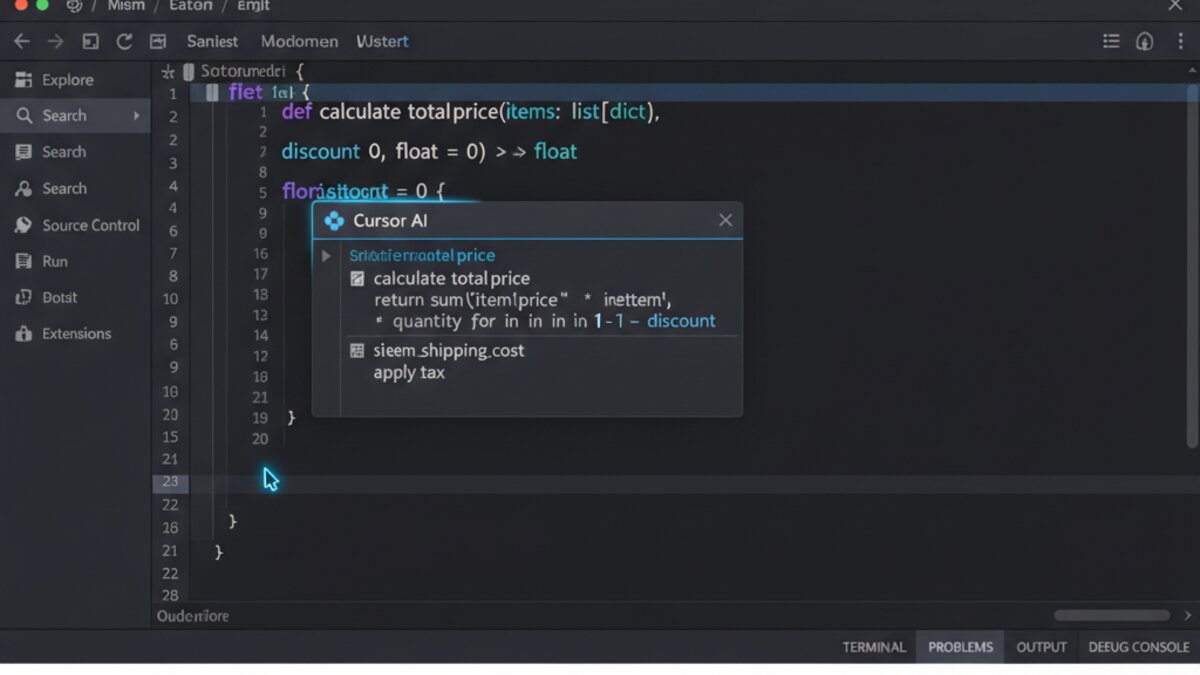

AI Tools & Automation Specialist
The landscape of software development is evolving at an unprecedented pace, with artificial intelligence emerging as a transformative force. What was once the sole domain of human thought and logic is now augmented by intelligent co-pilots, designed to streamline workflows, enhance code quality, and boost developer productivity. This guide dives into the world of AI coding assistants, offering a practical comparison of leading tools like GitHub Copilot and Cursor, and exploring how they are reshaping the development journey.
What Are AI Coding Assistants?
AI coding assistants are advanced software tools that leverage machine learning models to assist developers in various aspects of coding. From suggesting lines of code to debugging complex errors, these tools act as an extension of the developer’s intellect. They analyze existing code, understand context, and generate relevant suggestions, accelerating development cycles and freeing up cognitive resources for higher-level problem-solving.
The core promise of these assistants is increased efficiency. By automating repetitive tasks, providing instant access to knowledge, and even offering creative solutions, they empower developers to write better code, faster. They are not replacements for human programmers but rather powerful allies in the daily grind of software creation.
Key Features to Look For in an AI Coding Assistant
When evaluating AI coding assistants, several features stand out as crucial for maximizing their utility:
- Code Completion and Generation: Beyond simple autocomplete, these tools can generate entire functions, classes, or code blocks based on comments or partial input.
- Contextual Understanding: The best assistants understand the entire codebase, not just the file you’re working on, leading to more accurate and relevant suggestions.
- Debugging and Error Fixing: Some tools can identify potential bugs, suggest fixes, and even help in understanding complex error messages.
- Code Refactoring and Optimization: AI can propose ways to improve code readability, performance, or adherence to best practices.
- Natural Language Interaction (Chat): Being able to ask questions about your code or prompt for new code in plain English is a significant productivity booster.
- Integration: Seamless integration with your preferred Integrated Development Environment (IDE) and version control systems is key for a smooth workflow.
Deep Dive: GitHub Copilot
Image: Microsoft Copilot
GitHub Copilot, powered by OpenAI’s Codex model, was one of the pioneers in bringing AI to the mainstream developer. It integrates directly into popular IDEs like VS Code, Visual Studio, Neovim, and JetBrains, offering real-time code suggestions.
Strengths of GitHub Copilot:
- Seamless Integration: It feels like a natural extension of the IDE, with suggestions appearing as you type.
- Extensive Language Support: Copilot excels across a multitude of programming languages and frameworks, making it versatile for diverse projects.
- Context-Aware Suggestions: While not understanding the entire project context in the deepest sense, it’s very good at understanding the immediate file and surrounding code to provide relevant completions.
- Rapid Iteration: Speeds up the writing of boilerplate code, test cases, and common algorithms, significantly reducing development time.
Weaknesses of GitHub Copilot:
- Limited Project-Wide Understanding: It primarily focuses on the current file and open tabs, which can sometimes lead to suggestions that don’t align with the broader project architecture.
- Cost Model: While offering a free trial, it transitions to a subscription model, which might be a consideration for individual developers or very small teams.
- Hallucinations: Like all generative AI, it can sometimes produce incorrect or non-optimal code, requiring careful human review.
Practical Use Cases:
GitHub Copilot is excellent for:
- Quickly implementing known patterns or algorithms.
- Generating basic test boilerplate for functions or components.
- Learning new APIs or frameworks by seeing how others might use them.
# Python function to reverse a string
def reverse_string(s):
    # Copilot will suggest:
    # return s[::-1]
    pass
Deep Dive: Cursor – The AI-Native Code Editor

Cursor takes a different approach, positioning itself as an AI-native code editor built from the ground up for AI integration. It’s based on VS Code but enhances it with deep AI capabilities, focusing on chat, debugging, and understanding your entire codebase.
Strengths of Cursor:
- Deep-Codebase Understanding: Cursor aims to understand your entire project, allowing for more intelligent refactoring, generation, and debugging assistance that ties into the broader context.
- Integrated AI Chat: Its standout feature is a chat interface that allows you to ask questions, generate code, debug, or refactor directly within the editor using natural language.
- “Ask AI” and “Edit with AI” Features: You can highlight code and ask the AI to explain it, debug it, or refactor it, offering a more interactive experience than simple autocomplete.
- Local LLM Support: Cursor allows integration with local Large Language Models, providing enhanced privacy and potentially lower costs for heavy users.
Weaknesses of Cursor:
- Learning Curve: As a distinct editor experience, it might require some adjustment for developers deeply entrenched in existing VS Code workflows.
- Performance: Deep AI analysis across large codebases can sometimes be resource-intensive.
Practical Use Cases:
Cursor shines when you need to:
- Understand or refactor a complex function or module.
- Generate a significant chunk of new code based on a high-level requirement.
- Debug an error that spans multiple files, leveraging its codebase awareness.
- Interactively learn about an unfamiliar part of a project by querying the AI.
// Example of an AI prompt in Cursor:
// "Explain this React component and suggest improvements for state management."
// (Highlight component code)
Beyond the Mainstream: Claude Code, OpenRouter, and Local LLMs

Image: Anthropic / Claude
While Copilot and Cursor lead the charge, the ecosystem of AI coding tools is rapidly expanding:
- Claude Code: Anthropic’s Claude, known for its strong reasoning capabilities, is often used for code generation and analysis through its API. While not a dedicated IDE plugin in the same way as Copilot or Cursor, developers integrate it for sophisticated coding tasks.
- Local LLMs: The rise of open-source Large Language Models means you can run powerful AI assistants directly on your machine. This offers unparalleled privacy and customization. Tools like Cursor are starting to offer direct integration, but the potential is vast for self-hosted solutions.
- OpenRouter: For developers looking to experiment with a wide array of models, OpenRouter provides a unified API to access various LLMs, including those optimized for code. This allows for flexibility and testing different AI capabilities without vendor lock-in. It’s an excellent resource for building custom AI coding tools or integrating AI into existing workflows.
Choosing Your AI Co-Pilot
The “best” AI coding assistant depends heavily on your individual needs and workflow:
- For quick, inline suggestions across many languages: GitHub Copilot is a strong contender.
- For deep project understanding, interactive AI chat, and comprehensive codebase assistance: Cursor offers a more integrated and powerful experience.
- For maximum flexibility, privacy, and experimentation with different models: Exploring local LLMs or leveraging a service like OpenRouter to access diverse AI capabilities is the way to go.
Consider your daily tasks. Do you spend more time writing new code, or refactoring existing code? Is debugging a major time sink? Do you work on large, unfamiliar codebases frequently? Your answers will guide your choice.
Tips for Maximizing Value
Regardless of the tool you choose, these tips will help you get the most out of your AI coding assistant:
- Be Specific with Prompts: General requests yield general results. The more detailed your comments or chat prompts, the better the AI’s output.
- Iterate and Refine: AI suggestions are a starting point, not always the final solution. Treat them as a draft to be reviewed, refined, and tested.
- Understand the “Why”: Don’t just copy-paste. Take the time to understand why the AI generated a particular solution. This enhances your own skills.
- Know When to Disable: Sometimes, the AI can be distracting or generate irrelevant suggestions. Learn to toggle it off when you need deep focus or are exploring novel solutions.
The Future is Collaborative
AI coding assistants are no longer a novelty; they are becoming an indispensable part of the modern developer’s toolkit. By understanding their strengths, weaknesses, and diverse capabilities, developers can choose the right partners to supercharge their productivity and focus on the truly creative and complex challenges of software engineering. The future of coding is increasingly collaborative, with humans and AI working hand-in-hand to build the next generation of technology.
What to Read Next
- Best Free AI Tools for Solopreneurs in 2026: Automation, Content & Lead Scoring
- How to Supercharge Your Brainstorming with AI in 2026: A Step-by-Step Guide
- AI News Digest: AI Agents Master Fundraising, Google Mandates AI Ad Disclosure, Meta Debuts Muse Spark 1.1
- The Essential AI Agent Toolkit for 2026: Top Platforms for Beginners and Pros
- Browse all AI Stack Digest articles
Bookmark aistackdigest.com for daily AI tools, reviews, and workflow guides.
This article was produced with the assistance of AI tools and reviewed by the AIStackDigest editorial team.