
AI Agent Specialist
In the rapidly evolving landscape of local artificial intelligence, the ability to effectively manage and interact with various AI models on your own terms is becoming increasingly crucial. Enter Open WebUI, a powerful, self-hosted platform designed to centralize and streamline your AI workflows. The recent release of Open WebUI v0.11.1 marks a significant leap forward, introducing features that not only enhance user experience but also empower AI models with unprecedented levels of autonomy and interactive capabilities. This update, alongside other continuous improvements, solidifies Open WebUI’s position as a cornerstone for anyone looking to harness the full potential of local AI.
The Evolution of Local AI Interfaces
The vision behind Open WebUI is clear: to provide a unified interface for every AI model, ensuring privacy, extensibility, and seamless team collaboration. Gone are the days of juggling multiple applications for different AI tasks – be it writing, image generation, or document search. Open WebUI consolidates these functions into a single, intuitive platform, making conversations, knowledge management, tool integration, and model deployment effortless.

Image: Open WebUI
The core philosophy revolves around self-hosting, offering users the freedom to run AI on their own machines, with their data remaining exactly where it belongs. This commitment to data sovereignty and user control is a key differentiator in a world increasingly reliant on cloud-based solutions. With over 401 million downloads and a community exceeding 500,000 members, Open WebUI’s rapid growth is a testament to its value proposition.
Key Innovations in v0.11.1 and Beyond
Interactive AI: The Model Learns to Ask
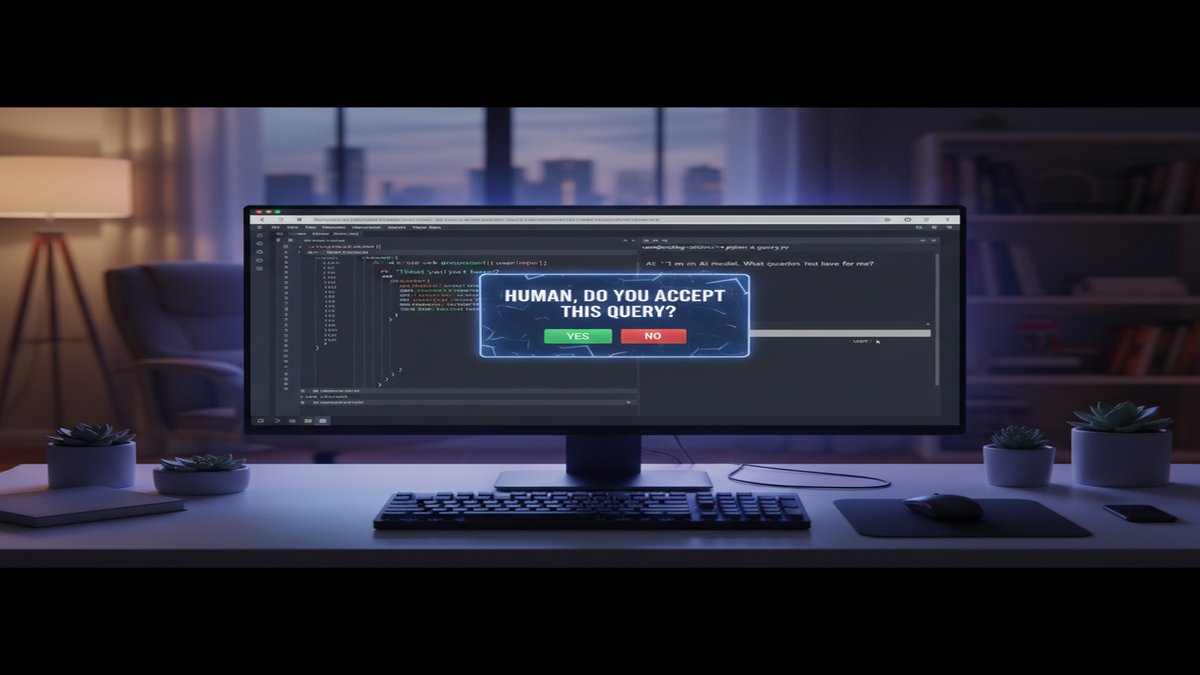
One of the most groundbreaking features introduced in v0.11.1 is the ability for models to pause and ask clarifying questions. This "ask_user" builtin is a game-changer for complex workflows, allowing the AI to seek human input when encountering ambiguity or requiring specific direction. Imagine an AI code reviewer that, instead of making assumptions, asks you to confirm a design choice, or a research assistant that queries your preferred focus area when sifting through vast datasets. This interactive capability significantly reduces errors and enhances the collaborative potential between human and AI.
Enhanced Tool Calling and Approvals
Building on the theme of collaboration, v0.11.1 also brings refined tool-call approvals. This means that when an AI model decides to use an external tool or perform an action, the user has explicit control to approve or deny that action. This crucial layer of oversight ensures that AI agents operate within defined boundaries, providing peace of mind and preventing unintended consequences, especially in sensitive operations.
Open Terminal: Giving AI a Real Computer
The "Open Terminal" feature has evolved to become an even more indispensable asset. It allows the AI to interact with a real computing environment, write and execute code, read output, debug errors, and iterate—all from within the chat interface. The terminal file browser, a key component, now supports in-place document previews and seamless file handling, making it easier for AI to manipulate and understand various data formats. Whether it’s installing packages, running servers, or analyzing complex logs, Open Terminal transforms the AI into a more capable and autonomous problem-solver. This functionality is a testament to the power of self-hosting, where the AI isn’t just a chatbot, but a functional agent interacting with your local system.
Streamlined Workflows: /model Commands and Delta Streaming
Efficiency is paramount in AI development and deployment. Open WebUI v0.11.1 introduces the "/model" command in slash commands, allowing users to quickly switch between or configure models within a conversation. This, coupled with smarter chat search, makes navigating complex interactions much smoother. Furthermore, the implementation of delta streaming drastically cuts down reply traffic, leading to faster response times and a more fluid conversational experience. Administrative users also benefit from a new hover-preview switch and the ability to set interface defaults, ensuring a consistent and optimized experience across teams.
A Home for AI, at Any Scale
Open WebUI’s architecture is designed for scalability and flexibility. It supports integration with a wide array of models, including Ollama, OpenAI, and Anthropic, running seamlessly both locally and in the cloud. For businesses and enterprises, features like SSO, RBAC (Role-Based Access Control), audit logs, and options for on-premises or air-gapped deployment underscore its suitability for regulated industries. The platform’s stateless design, leveraging shared databases and Redis for coordination, allows for horizontal scaling, meaning additional application replicas can be added behind a load balancer as demand grows. This makes it an ideal choice for startups and global enterprises alike.
Beyond its core functionalities, Open WebUI offers a rich ecosystem of extensibility. Python tools, pipelines, MCP (Model Context Protocol) support, and OpenAPI server integration allow users to add virtually any capability. The community-driven aspect further enriches the platform, with a vast library of prompts, models, tools, and functions available for sharing and collaboration. This fosters an environment where innovation is not just encouraged but actively facilitated.
The Privacy Imperative and Cost-Effectiveness
In an era where data privacy is a growing concern, Open WebUI’s self-hosted nature is a significant advantage. By keeping AI processing local, users retain full control over their data, eliminating the risks associated with transmitting sensitive information to third-party cloud providers. This "freedom AI stack" philosophy empowers individuals and organizations to leverage advanced AI capabilities without compromising their privacy or proprietary data.
Moreover, local AI solutions often present a more cost-effective alternative to continuous cloud API usage. While initial hardware investments might be required, running models locally can significantly reduce operational expenses in the long run, especially for high-volume or continuous AI tasks. Services like Contabo VPS offer powerful virtual private servers that can be an excellent option for hosting Open WebUI instances, providing dedicated resources and control without the overhead of managing physical hardware on-site. This bridges the gap between purely local setups and public cloud infrastructure, offering a balanced solution for many users.
Conclusion
Open WebUI v0.11.1 and its continuous development represent a significant step forward for local AI. By focusing on user control, extensibility, and intelligent interaction, it provides a robust platform for deploying and managing AI models efficiently and securely. From empowering models to ask questions to offering a full terminal environment, Open WebUI is not just an interface; it’s a comprehensive ecosystem that redefines how we interact with artificial intelligence, making it more accessible, controllable, and ultimately, more useful on our own terms.
This article was produced with the assistance of AI tools and reviewed by the AIStackDigest editorial team.