
OpenClaw & AI Agents Expert
Long-form video content is everywhere — podcasts, webinars, tutorials, interviews. But the platforms driving growth in 2026 — YouTube Shorts, TikTok, Instagram Reels — reward brevity. The gap between what creators produce and what the algorithm amplifies has never been wider. That’s where AI-powered video-to-shorts tools come in.
These tools don’t just cut video. They understand it. They identify the most compelling moments, auto-generate captions, resize for vertical formats, and sometimes even rewrite titles for maximum engagement — all without a human editor touching a timeline. In this guide, we break down the best AI tools for repurposing long-form video into short-form clips in 2026, what makes each unique, and how to choose the right one for your workflow.
Why Repurposing Video with AI Actually Works
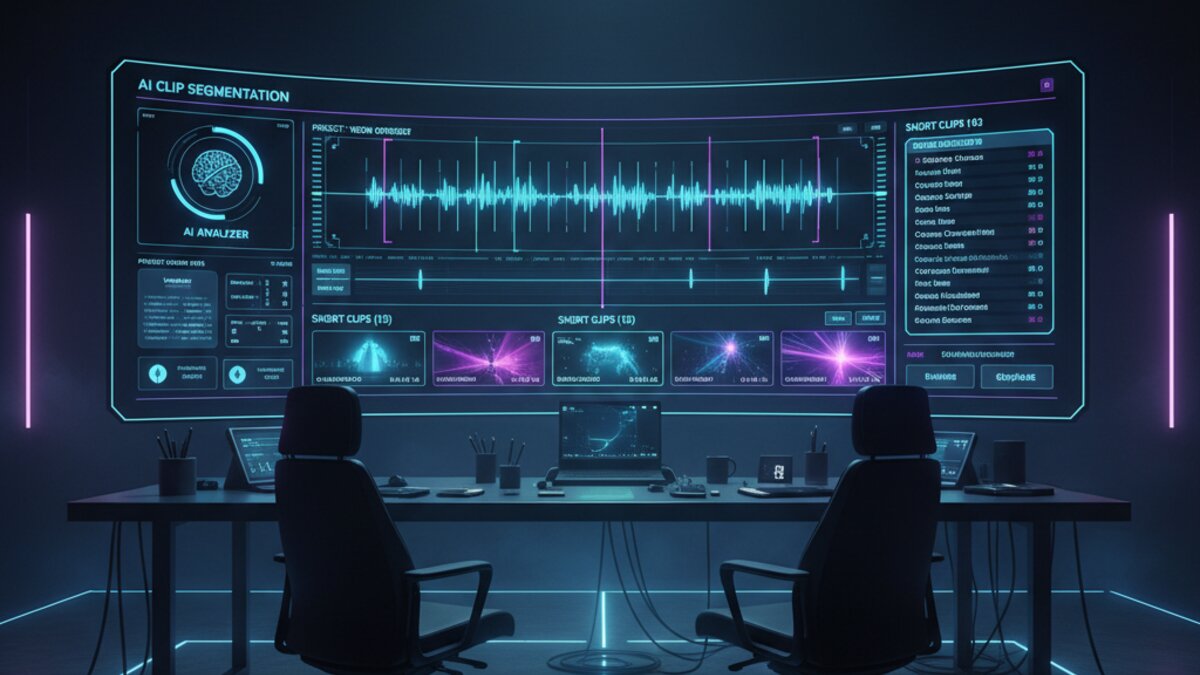
The core promise of AI video repurposing is simple: you feed in a 60-minute podcast, and out comes five polished 60-second clips ready to post. But the magic is in how these tools decide what to clip. The best ones use a combination of:
- Transcript-based relevance scoring — finding sentences that stand alone as complete ideas
- Audio energy detection — flagging moments with laughter, applause, or tonal emphasis
- Engagement prediction models — trained on millions of viral clips to recognize hooks
- Speaker detection — trimming awkward pauses and cross-talk automatically
The result is that what used to take a video editor 3–4 hours can be done in minutes — and often the AI-selected clips perform as well or better than manually chosen ones.
The Best AI Video-to-Shorts Tools in 2026
1. Opus Clip
Opus Clip remains the go-to for creators who want quality clips with minimal setup. Drop in a YouTube URL or upload a file, and the tool returns ranked short clips with an “Virality Score” for each. Version 4 (released early 2026) added a Brand Kit feature, letting you lock in your fonts, colors, and logo so every clip is on-brand without manual work. The AI now also generates B-roll suggestions from its built-in stock library — though note that using those stock clips is separate from the core repurposing feature.
Best for: Podcasters, YouTubers, course creators
Pricing: Free tier (60 minutes/month); Pro from $19/month
2. Klap
Klap is specifically designed for podcasters and interview-format content. Its standout feature is speaker-aware framing — when two people are talking, Klap dynamically reframes the video to focus on whoever is speaking, keeping the composition tight without you lifting a finger. It also auto-captions with impressive accuracy (supporting 50+ languages) and applies animated subtitle styles that are proven to boost watch time.
Best for: Interview-format video, multi-speaker podcasts
Pricing: From $29/month
3. Descript
Descript approaches repurposing from a different angle — it gives you a text-based editor that treats your video transcript as the source of truth. You highlight a passage in the transcript, and Descript clips the corresponding video. This is less “set it and forget it” than Opus Clip, but it gives you far more editorial control. The 2026 update added an AI Shorts Wizard that suggests clips based on engagement patterns, bridging the gap between manual precision and automated speed. Descript also integrates tightly with AI voice tools for gap-filling and filler-word removal.
Best for: Editors who want control, teams with brand guidelines
Pricing: Free tier available; Creator plan from $24/month
4. Munch
Munch differentiates itself by focusing on marketing intelligence alongside clipping. It analyzes your transcript and cross-references trending topics on social platforms to suggest which moments are most likely to resonate right now. If you’re a marketer repurposing webinar recordings or product demos, Munch’s social trend overlay is genuinely useful — it’s not just picking good moments, it’s picking moments that fit the current conversation.
Best for: Marketing teams, B2B content
Pricing: From $49/month (team plans available)
5. AutoShorts (via Make.com)
For teams that want repurposing baked into a larger content automation pipeline, Make.com now includes native AutoShorts integration. You can build a workflow that automatically ingests new YouTube uploads, triggers Opus Clip or Munch via their APIs, posts approved clips to social platforms, and logs everything to a Notion database — with zero manual steps after setup. This is the setup serious content operations teams are moving to in 2026.
How to Choose: A Quick Decision Framework
With so many capable tools, the choice comes down to your specific workflow:
- Solo creator, fast turnaround? → Opus Clip. Best balance of automation and quality.
- Interview or podcast format? → Klap. Speaker-aware reframing is a genuine differentiator.
- Need editorial control? → Descript. Treat your video like a document.
- Marketing/B2B content? → Munch. Trend-aware clip selection matters for campaigns.
- Building a content pipeline? → Make.com + Opus Clip/Munch API. Automate the whole chain.
Practical Tips for Better AI-Generated Shorts
Even the best tools benefit from good inputs. A few things that consistently improve output quality:
- Use clean audio. Noise-canceling and proper mic technique help transcript accuracy, which directly improves clip selection.
- Front-load value. AI hooks detectors respond to strong openings. Start stories with the punchline, not the setup.
- Review before auto-posting. Most tools support a review queue. Use it. Even 80% good clips means 20% you’d rather not have on your profile.
- Customize captions per platform. TikTok captions can be playful; LinkedIn captions should be more professional. Some tools let you set tone per destination.
- Feed the algorithm data. Tools like Opus Clip learn from which clips you approve or reject. The more you use them, the better they get at matching your style.
What’s Coming Next
The next frontier for AI video repurposing is multimodal clip intelligence — tools that don’t just analyze transcript and audio, but also visual composition, on-screen text, and viewer facial response data (via webcam opt-in panels). Early versions are already in beta at Munch and a few stealth startups. Meanwhile, routing your AI tooling through a unified API layer like OpenRouter is becoming standard practice for teams building custom repurposing pipelines on top of foundation models.
The throughline for 2026 is clear: the creators and teams winning on short-form video aren’t posting more — they’re repurposing smarter. AI video-to-shorts tools have crossed the threshold from “interesting experiment” to “essential infrastructure.” The only question is which one fits your stack.
What to Read Next
- Best OpenRouter Models 2026: Qwen 3.6 vs Claude Opus vs Grok 4.3 | Developer Comparison Guide
- Mastering OpenClaw: A Practical Guide to AI-Powered Automation
- Anthropic’s Self-Correcting AI Agents, Sakana’s RL-Driven LLM Orchestration, and AMD’s MI300 Powers Efficient Open Models
- How to Automate Email Summaries and Responses with AI in 2026: A Step-by-Step Guide
- Browse all AI Stack Digest articles
Bookmark aistackdigest.com for daily AI tools, reviews, and workflow guides.
If your short-form content strategy includes animated or stylized clips, DomoAI pairs well with these repurposing tools — its video-to-video and image-to-video features can add a distinctive visual style to clips before you push them through your shorts pipeline.
This article was produced with the assistance of AI tools and reviewed by the AIStackDigest editorial team.