
AI Tools & Automation Specialist
By 2026, AI has moved beyond answering questions—it’s now directly controlling your interface. Two heavyweight AI tools are reshaping how designers and developers work: Anthropic’s Claude with Computer Use and OpenAI’s Canvas. Both promise to automate workflows, accelerate design iteration, and reduce repetitive work. But which one actually delivers?
This comprehensive comparison examines the real-world differences, pricing, capabilities, and best use cases for each tool. Whether you’re a designer, developer, or automation engineer, this guide will help you choose the right AI assistant for your workflow.
What Is Claude with Computer Use?
Image: Anthropic / Claude
Claude with Computer Use is Anthropic’s breakthrough feature that allows Claude to see your screen and control your mouse and keyboard. Rather than just generating code or text, Claude can actually interact with your computer as if it were a human user. This means Claude can:
- Take screenshots to understand what’s on your screen
- Move your mouse and click buttons
- Type and submit forms
- Navigate applications and websites
- Execute multi-step workflows autonomously
The breakthrough here is that Claude can work with any application—not just web browsers or proprietary integrations. If it runs on your desktop, Claude can interact with it.
What Is OpenAI Canvas?
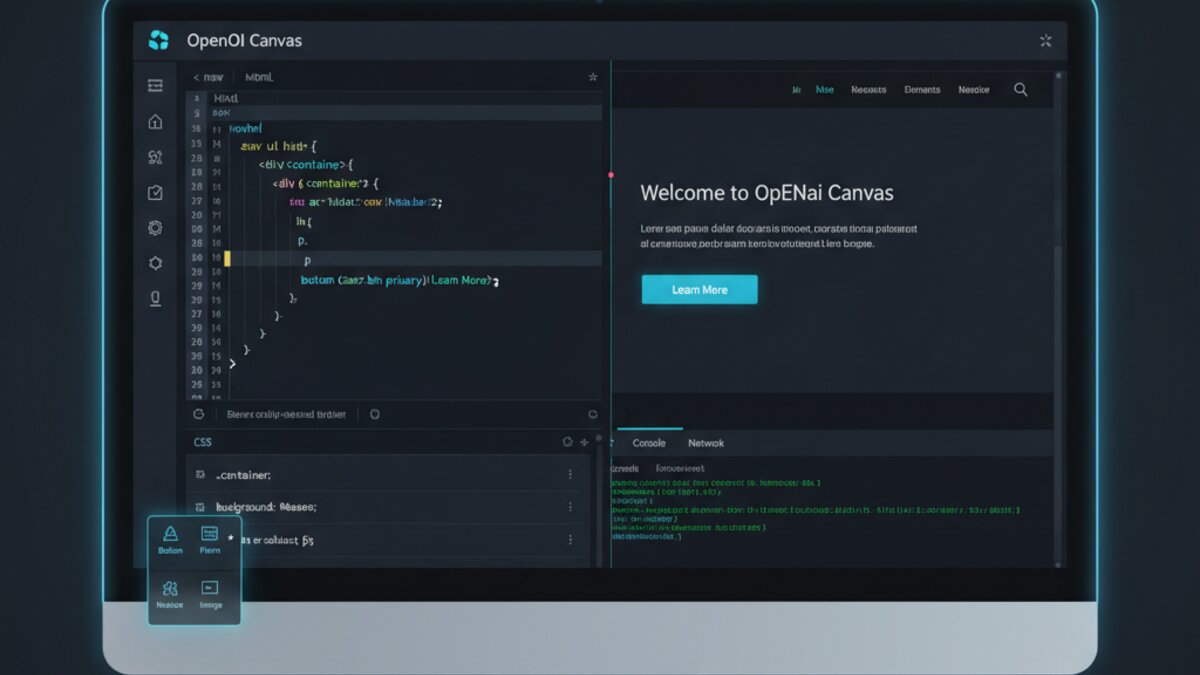
OpenAI Canvas is a specialized interface within ChatGPT that creates a side-by-side workspace for writing and coding projects. Instead of responses appearing in a chat window, Canvas opens a dedicated pane where you can:
- See full code or document drafts in a focused workspace
- Make inline edits without re-prompting
- Track version history and compare versions
- Preview rendered HTML/CSS in real-time
- Copy or export code directly
Canvas is optimized for iterative creative work—particularly web development, writing, and design prototyping. It’s designed to reduce friction between AI suggestions and your actual output.
Core Capabilities: Head-to-Head
1. Interface & User Experience
Claude with Computer Use: You control a desktop or web environment. Claude watches and interacts with whatever’s already on your screen. No special UI needed—it’s your OS, untouched. Requires you to grant screen-sharing and input permissions (similar to screen recording software).
OpenAI Canvas: A dedicated UI within ChatGPT. Requires explicit switching between chat and canvas mode. Cleaner for focused work, but you’re locked into the Canvas environment—no direct system-level interaction.
Winner: Context-dependent. Claude wins for flexibility; Canvas wins for focused, distraction-free iteration.
2. Application Support
Claude with Computer Use: Works with any application—Figma, Photoshop, Blender, Excel, Slack, Jira, custom dashboards, legacy software, you name it. The only limit is what runs on your machine.
OpenAI Canvas: Optimized for web-based workflows: writing, HTML/CSS/JavaScript, Markdown documents. Can preview rendered output. Less useful for desktop applications like video editors or design software.
Winner: Claude with Computer Use by a wide margin for flexibility.
3. Automation Depth
Claude with Computer Use: Can execute complete workflows autonomously. Example: “Upload 50 images to Shopify, tag them with AI-generated descriptions, set prices based on our pricing sheet, and notify the team on Slack.” Claude orchestrates everything across multiple apps.
OpenAI Canvas: Better for incremental editing within a single file or document. Claude writes a design, you tweak it, Claude refines. Less suited for cross-application orchestration.
Winner: Claude with Computer Use for multi-step automation.
4. Speed & Latency
Claude with Computer Use: Requires reasoning over screenshots, planning steps, then executing. Slightly slower for simple tasks (e.g., clicking a button takes 2-3 seconds vs. instant). Better for complex reasoning tasks.
OpenAI Canvas: Extremely fast for isolated editing tasks. No reasoning overhead. Perfect for rapid iteration: “Make the button blue” → instant change.
Winner: OpenAI Canvas for pure speed on focused tasks.
5. Accuracy & Reliability
Claude with Computer Use: Occasionally misclicks or misreads UI elements. May retry steps if it encounters unexpected layouts. Works best in predictable, well-designed interfaces.
OpenAI Canvas: Very reliable within its domain (code/writing). Fewer surprises because it’s not wrestling with unpredictable UIs.
Winner: OpenAI Canvas for predictability.
Real-World Use Cases
Claude with Computer Use Shines:
- Enterprise workflow automation: Pulling data from legacy systems, updating CRMs, sending batch emails across multiple platforms
- Design tool orchestration: “Create a landing page design in Figma, export components, build the React version in VS Code, and deploy to Vercel”
- Data migration: Moving data between incompatible systems (e.g., old CMS to Shopify)
- Regression testing: Automating UI testing across desktop applications
- Report generation: Pulling data from multiple sources, creating visualizations, formatting documents
OpenAI Canvas Shines:
- Web development: Rapidly iterating on HTML/CSS/JS prototypes with live preview
- Content creation: Writing blog posts, refining copy, tracking versions
- Code learning: AI explains code while you edit it alongside explanations
- Prototyping: Building quick web-based mockups and interactive demos
- Marketing assets: Generating landing page HTML, email templates, ad copy
Pricing & Accessibility
Claude with Computer Use:
- Available on Claude 3.5 Sonnet (via OpenRouter API, Anthropic API, or Claude.ai)
- Claude.ai free users: Limited to 10 uses per day
- Claude.ai Pro ($20/month): 50 uses per day
- API pricing: $3 per 1M input tokens / $15 per 1M output tokens
- Requires Claude 3.5 Sonnet specifically (not available on older models)
OpenAI Canvas:
- ChatGPT Plus ($20/month): Full access
- ChatGPT Pro ($200/month): Priority access + higher limits
- API integration available (standard API pricing)
- Canvas is included; no additional cost
Verdict: Both cost roughly $20/month for individuals. Claude with Computer Use offers more use cases but fewer daily operations on the free tier.
Limitations & Gotchas
Claude with Computer Use:
- Screen permissions: Requires you to grant access to your entire screen (privacy consideration)
- Unpredictable UI: Struggles with non-standard interfaces or rapid layout changes
- Learning curve: You need to structure prompts carefully (e.g., “First take a screenshot, then click the Save button”)
- Rate limits: Free tier limited to 10/day; Pro limited to 50/day
- Latency: Slower than direct API calls for simple operations
OpenAI Canvas:
- Web-only optimization: Not designed for desktop application workflows
- Locked environment: You’re limited to what Canvas supports (code, writing, markup)
- Requires ChatGPT Plus: Not available on free tier
- Limited automation: Designed for interactive iteration, not autonomous multi-step processes
- Version control: Canvas history is nice, but doesn’t replace proper Git workflows
Security & Privacy Considerations
Claude with Computer Use: Sees everything on your screen, including sensitive data, passwords (though obfuscated), and private information. Anthropic maintains that screenshots are processed server-side but deleted after processing. For enterprise use, consider:
- Running Claude Computer Use in an isolated VM
- Using it only on non-sensitive systems
- Checking Anthropic’s data retention policies
OpenAI Canvas: Only sees what you explicitly paste or reference in conversation. Lower privacy risk for sensitive work, but OpenAI still retains conversation data per their terms.
Verdict: Canvas is safer for private data; Computer Use requires careful deployment.
Integration & Ecosystem
Claude with Computer Use: Works with anything that integrates with your OS (Zapier, Make.com, n8n can wrap Computer Use via API). Can trigger workflows via API calls.
OpenAI Canvas: Integrates tightly with ChatGPT ecosystem. Can export to file, copy to clipboard. Limited external integration compared to Claude.
Verdict: Claude is more powerful for enterprise automation workflows; Canvas is simpler for direct user interaction.
Which Should You Choose?
Choose Claude with Computer Use if:
- You need multi-step workflow automation across multiple applications
- You work with desktop software (Figma, Photoshop, VS Code, Jira, etc.)
- You’re automating data migration, testing, or reporting
- You want to build autonomous agents that interact with your entire system
- You’re willing to invest time in prompt engineering for complex workflows
Choose OpenAI Canvas if:
- You’re primarily building web content (HTML/CSS/JavaScript)
- You want rapid, interactive iteration on design and code
- You need a cleaner, more focused workspace for writing or coding
- You prefer simplicity over raw power
- You’re working with sensitive data and need stricter privacy controls
The Verdict
Claude with Computer Use is the more powerful tool—it can do everything Canvas does, plus orchestrate complex workflows across your entire system. It’s the future of AI automation.
However, power comes with complexity. Claude Computer Use requires careful prompt engineering, privacy considerations, and thoughtful deployment. For simple, focused web development work, Canvas is faster and safer.
Ideal scenario for 2026: Use both. Deploy Claude Computer Use for your complex automations and multi-app workflows. Use Canvas for rapid web design iteration and content creation. They complement each other perfectly.
The real winner? You—because you now have AI tools that work with your applications instead of forcing you to work with them. The question isn’t which tool is better; it’s which one is better for your specific workflow.
This article was produced with the assistance of AI tools and reviewed by the AIStackDigest editorial team.