

AI Business & Strategy Analyst
AI video generation has crossed a threshold. What once required a Hollywood budget and a crew of professionals can now be done solo, in minutes, with a text prompt. The tools in this category have exploded in capability over the past year — and in mid-2026, the race has never been tighter or more exciting.
Whether you’re a content creator building a YouTube channel, a marketer producing social ads, a filmmaker exploring new workflows, or a business owner who needs video at scale, there’s never been a better time to explore AI video. But with so many platforms launching and updating rapidly, choosing the right one can feel overwhelming.
We tested eight of the most talked-about AI video generation tools right now, evaluating them on output quality, ease of use, speed, pricing, and real-world use cases. Here’s what we found.
1. Kling 2.0 (Kuaishou)
Kling has quietly become one of the most capable AI video generators on the market. Its 2.0 update delivers stunning motion consistency and impressive handling of physics — objects move, fall, and interact with a realism that still surprises even experienced users.
The platform supports text-to-video, image-to-video, and even video-to-video style transfers. Outputs at up to 1080p with 5 or 10-second clips, and a new “professional mode” gives fine-grained control over camera motion, subject behavior, and scene transitions.
- Pros: Excellent motion quality, strong physics simulation, image-to-video is class-leading, competitive pricing
- Cons: Chinese platform raises data privacy questions for some users, interface can feel cluttered, API access is limited
Best for: Content creators and social media producers who want high-quality cinematic motion on a budget.
Pricing: Free tier (36 credits/month); Pro from $8/month
2. Runway Gen-4
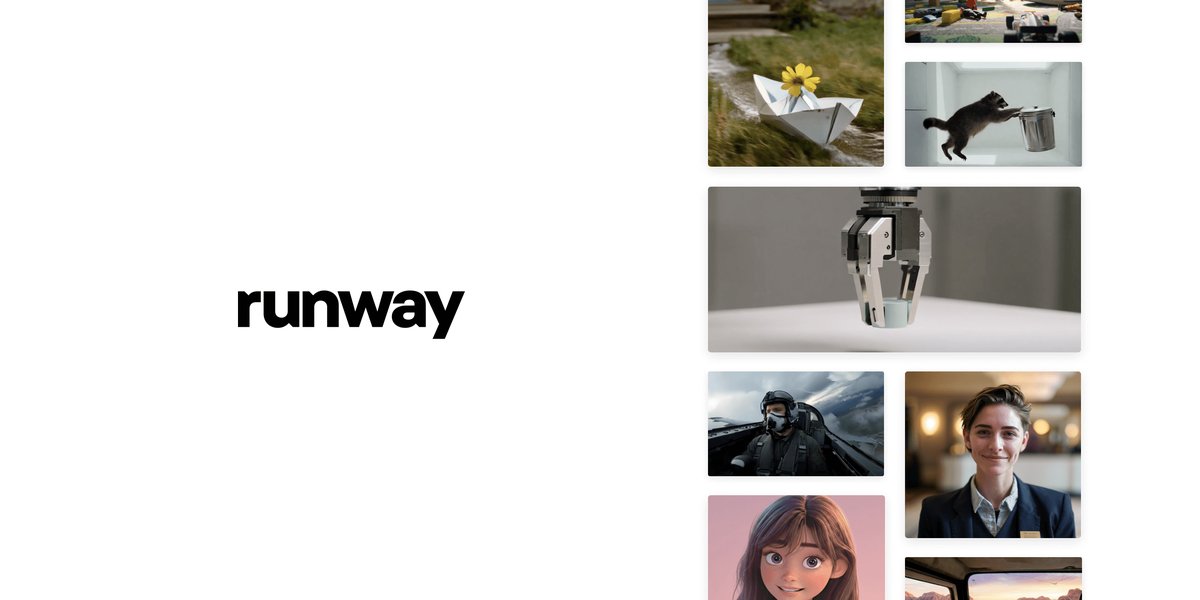
Image: Runway ML
Runway remains the gold standard for professional AI video, and Gen-4 cements that reputation. The latest model brings dramatically improved character consistency — a long-standing weakness in AI video — along with a new “Act One” system for directing actors using reference video or motion capture data.
For filmmakers and agencies, Runway’s multi-modal pipeline is unmatched: you can move from image generation to video, apply motion controls, add audio effects, and export for final edit all within one platform. It’s not cheap, but for professional output, it delivers.
- Pros: Best-in-class character consistency, professional filmmaker tools, strong ecosystem, excellent community and tutorials
- Cons: Expensive at scale, credit system can be confusing, steeper learning curve for beginners
Best for: Professional filmmakers, agencies, and studios building AI-assisted production pipelines.
Pricing: Standard from $15/month; Unlimited from $95/month
3. Pika 2.2
Pika has always been the most user-friendly AI video tool, and version 2.2 doubles down on that while closing the quality gap with competitors. The standout new feature is “Pikaffects” — a library of preset motion effects (explosions, melting, transformation, squishing) that can be applied to any image with a single click.
For social media creators, Pika is arguably the best tool available. The Discord and web app are both polished, outputs are consistently shareable-quality, and the turnaround time is fast. It won’t replace Runway for cinematic work, but for TikToks, Reels, and quick marketing clips, it’s hard to beat.
- Pros: Easiest interface of any tool tested, Pikaffects are genuinely fun and viral-ready, fast generation, great mobile experience
- Cons: Less control over camera movement than competitors, clips max at 10 seconds, quality ceiling lower than Kling or Runway
Best for: Social media creators, marketers, and anyone new to AI video who wants great results fast.
Pricing: Free tier available; Basic from $8/month
4. Google Veo 3
Google’s Veo 3 is the biggest technical leap in this roundup — and quite possibly in the history of AI video. The model generates video with synchronized native audio, including ambient sound, dialogue, and music, all from a text prompt. No other tool does this out of the box.
The cinematic quality is exceptional. Lighting, depth of field, and camera movement all feel deliberate and professional. The main limitation is access: Veo 3 is currently gated behind Google’s Gemini Ultra and VideoFX waitlist, and costs are high for heavy users. But the capability gap it opens is significant.
- Pros: Native audio generation is a game-changer, best overall cinematic quality in the roundup, strong prompt adherence
- Cons: Limited access (waitlist/Ultra tier), expensive, 8-second clips only currently, not suitable for iterative workflows yet
Best for: Cutting-edge experimenters, Google ecosystem users, and anyone who needs audio-inclusive video output.
Pricing: Included with Gemini Ultra ($249.99/month) or VideoFX (invite only)
5. Sora (OpenAI)
OpenAI’s Sora launched to enormous hype and has since settled into a solid — if not revolutionary — position in the market. The platform excels at dreamlike, surreal visuals and long-form coherence (up to 60 seconds), and the Storyboard feature for building multi-scene narratives is genuinely powerful for storytellers.
Where Sora falls short is in precise control. Compared to Runway or Kling, you have less ability to dictate exact camera movements or fine-tune subject behavior. It’s more of a “describe your vision, trust the model” experience — which suits some use cases and frustrates others.
- Pros: Longest coherent clips (up to 60s), excellent for surreal/fantastical content, Storyboard is powerful, part of ChatGPT Plus ecosystem
- Cons: Less precise motion control, can hallucinate unexpected elements, integrated into ChatGPT which limits standalone workflow use
Best for: Storytellers, creative directors, and ChatGPT Plus users who want cinematic narrative video.
Pricing: Included with ChatGPT Plus ($20/month) or Pro ($200/month)
6. Hailuo AI (MiniMax)
Hailuo is a dark horse that deserves far more attention than it gets. The MiniMax-backed platform produces remarkably smooth motion with a distinctive filmic quality, and its free tier is genuinely generous — you get 30 seconds of HD video per day without paying a cent.
The I2V (image-to-video) model is particularly impressive: upload a still image and Hailuo animates it with camera zooms, pans, and organic motion that feels natural rather than jittery. At this price point, the output quality is extraordinary.
- Pros: Best free tier of any tool tested, excellent I2V quality, smooth filmic motion, fast generation times
- Cons: Less brand recognition means less community support, fewer advanced controls, watermark on free tier
Best for: Budget-conscious creators and anyone wanting to experiment with AI video without commitment.
Pricing: Free tier (30s HD/day); Pro from $9.99/month
7. Luma Dream Machine 1.6
Luma’s Dream Machine was one of the first AI video tools to go truly viral, and version 1.6 keeps it competitive. The latest update improves scene transitions, extends maximum clip length to 20 seconds, and introduces “Extend” — the ability to seamlessly lengthen existing clips by generating coherent continuations.
The API is one of Dream Machine’s strongest advantages: developers can integrate video generation into their own apps with straightforward REST calls. For teams building AI-powered products, Luma’s API flexibility and reasonable pricing make it a frequent backend choice. Connecting it via automation tools like Make.com enables powerful no-code video production pipelines.
- Pros: Excellent API for developers, “Extend” feature is genuinely useful, strong scene consistency, competitive pricing
- Cons: Not as cinematic as Runway or Veo 3, limited audio features, UI less polished than Pika
Best for: Developers building AI video into products, and teams who need programmatic video generation at scale.
Pricing: Free tier (30 credits); Standard from $29.99/month
8. DomoAI
DomoAI carves out a unique niche: AI-powered anime and stylized video transformation. Rather than generating video from scratch, its core strength is converting real footage or images into anime, cartoon, and artistic styles with remarkable consistency. The results are unlike anything else in this roundup.
For anime creators, YouTubers doing stylized content, and brands wanting a distinctive visual identity, DomoAI fills a gap no other tool covers as well. The video-to-video pipeline is particularly powerful — upload live action footage and receive a fully animated, stylized output.
- Pros: Unmatched anime/stylized transformation quality, video-to-video pipeline is best-in-class for style transfer, active Discord community
- Cons: Niche use case, not suitable for photorealistic output, dependent on Discord bot which limits workflow integration
Best for: Anime creators, stylized content channels, and anyone wanting a distinctive non-photorealistic video aesthetic.
Pricing: Free tier available; Pro from $12.99/month
Head-to-Head Comparison
| Tool | Best For | Quality | Ease of Use | Free Tier | Starting Price |
|---|---|---|---|---|---|
| Kling 2.0 | Motion & physics realism | ⭐⭐⭐⭐⭐ | ⭐⭐⭐⭐ | ✅ Yes | $8/mo |
| Runway Gen-4 | Professional filmmaking | ⭐⭐⭐⭐⭐ | ⭐⭐⭐ | ✅ Limited | $15/mo |
| Pika 2.2 | Social media creators | ⭐⭐⭐⭐ | ⭐⭐⭐⭐⭐ | ✅ Yes | $8/mo |
| Google Veo 3 | Audio-inclusive video | ⭐⭐⭐⭐⭐ | ⭐⭐⭐⭐ | ❌ No | $249.99/mo |
| Sora | Long-form narrative | ⭐⭐⭐⭐ | ⭐⭐⭐⭐ | ❌ No | $20/mo |
| Hailuo AI | Budget & free use | ⭐⭐⭐⭐ | ⭐⭐⭐⭐ | ✅ Generous | $9.99/mo |
| Luma Dream Machine | Developers & API use | ⭐⭐⭐⭐ | ⭐⭐⭐⭐ | ✅ Yes | $29.99/mo |
| DomoAI | Anime & stylized video | ⭐⭐⭐⭐ | ⭐⭐⭐ | ✅ Yes | $12.99/mo |
The Verdict: Which AI Video Tool Should You Choose?
The honest answer is that the “best” AI video tool depends almost entirely on what you’re making and who you are.
If you’re a professional filmmaker or agency, Runway Gen-4 remains the most complete production environment. The investment is justified by the character consistency, Act One’s motion direction system, and the depth of post-production tools. Nothing else gives you this level of control.
If you’re a social media creator who needs fast, shareable, visually interesting clips without a steep learning curve, Pika 2.2 wins on ease and speed. The Pikaffects library alone is worth the subscription for anyone building viral content.
If you want the most technically impressive output and have the budget, Google Veo 3 is genuinely in a class of its own — native audio generation changes what’s possible with a single prompt. The access limitations are frustrating, but this is where the industry is heading.
For value, Kling 2.0 is the pick. At $8/month with physics-level motion quality and a strong free tier, it punches well above its weight. The data privacy concerns are worth considering, but for most creators, the output-to-price ratio is unmatched.
And if you’re just getting started, Hailuo AI is the safest entry point — 30 seconds of genuine HD video per day for free is a remarkable offer that lets you learn the fundamentals before spending anything.
One thing is clear: 2026 is the year AI video went from novelty to necessity. The tools in this roundup aren’t just impressive demos — they’re production-ready instruments reshaping how content gets made. If you haven’t started experimenting, there’s no better time than now. For those looking to build automated video workflows, pairing these tools with OpenRouter for model routing opens up powerful multi-model pipelines that can take your production to another level.
All pricing current as of July 2026. Free tiers and credit limits subject to change.
What to Read Next
- Open-Weight AI Risk in 2026: ChatGPT vs Chinese Open Models
- Quantization: What It Means in AI and Why It Matters (2026 Guide)
- AMD Challenges Nvidia with Helios, Anthropic Upgrades Claude Voice, BFL Launches Flux 3 Video, Nvidia Sends GPUs to Moon
- Best VPS for Python Projects in 2026: Power Your AI & Development on a Budget
- Browse all AI Stack Digest articles
Bookmark aistackdigest.com for daily AI tools, reviews, and workflow guides.
This article was produced with the assistance of AI tools and reviewed by the AIStackDigest editorial team.