

AI Researcher & Product Reviewer
The landscape of AI-assisted design has seen explosive growth in 2026, and Anthropic’s latest offering, Claude Design, is poised to be a major player. Designed not for the seasoned graphic artist but for the entrepreneur, product manager, or marketer who needs to visualize an idea quickly, it promises to democratize design. Over the past week, we’ve put this new visual tool through its paces to see if it lives up to the hype. This is our hands-on review of Claude Design 2026.
First Impressions and Getting Started
Getting started with Claude Design is remarkably straightforward. If you’re already familiar with the Claude interface, the new Design module feels like a natural extension. It’s accessed directly within the chat interface, either through a dedicated button or by simply asking Claude to create a wireframe, mockup, or slide deck. The onboarding process includes a helpful tutorial that walks you through the core functionalities, from basic element placement to more advanced prototyping flows. The clean, uncluttered interface immediately sets it apart from more complex tools like Figma or Adobe XD, which can be daunting for non-designers.
Core Features and Capabilities
Claude Design’s power lies in its conversational creation. You describe what you need, and it builds it for you. For our testing, we prompted it with: “Create a wireframe for a mobile app homepage for a sustainable coffee subscription service.” Within seconds, it generated a clean, logically structured wireframe complete with a hero section, product features, a subscription CTA, and a bottom navigation bar.
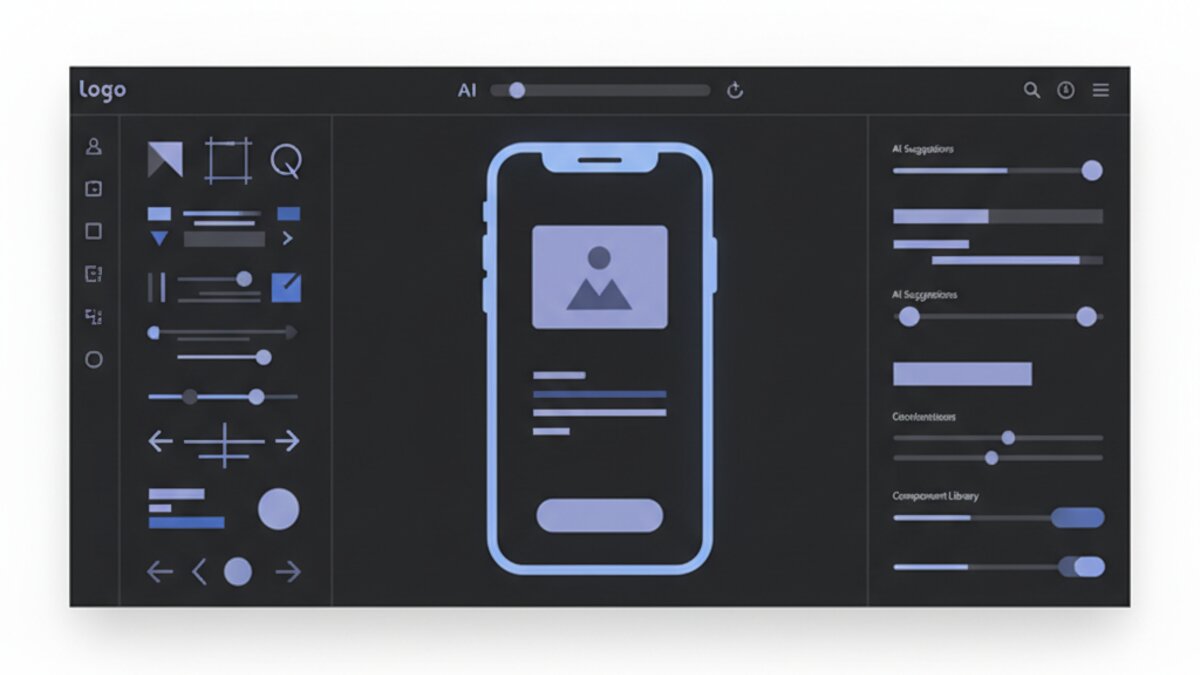
The tool excels in its component library. It offers a wide array of pre-built, customizable UI elements for both web and mobile applications. But its context. When we asked it to “make the color scheme more energetic but still professional,” it seamlessly updated the palette from muted blues to vibrant corals and deep blues, adjusting button and text colors accordingly to maintain contrast and readability.
For presentation building, it’s equally impressive. We tasked it with creating a five-slide pitch deck for a seed funding round. By feeding it a few bullet points of our fictional company’s details, Claude Design generated a coherent deck with a title slide, problem statement, solution, market size, and team slide. The layouts were varied and visually engaging, a far cry from the default, tired PowerPoint templates.

Usability for Non-Designers: Where It Shines
This is Claude Design’s primary audience, and it serves them exceptionally well. The barrier to entry is virtually zero. You don’t need to know about grids, padding, or typography hierarchies. You just need to be able to articulate your vision. The iterative process is where the magic happens. You can point to any element and ask for changes: “Make this button larger,” “Add an icon here,” “Rearrange these sections into a grid.” It feels less like using design software and more like collaborating with a very fast, very skilled junior designer.
The value for non-designers is immense. It eliminates the friction of moving from an idea to a tangible visual, which is crucial for internal alignment, stakeholder buy-in, and early user testing. Instead of spending hours wrestling with a complex tool or waiting for a designer’s bandwidth, a founder can create a presentable prototype in minutes. For quick internal presentations or early-stage mockups, it’s a massive productivity booster. For more complex design needs, integrating with powerful automation platforms like n8n can help bridge the gap between prototype and functional product.
Limitations and Considerations
Of course, Claude Design is not a replacement for a professional designer or high-fidelity design tools—and it doesn’t claim to be. The generated designs, while polished, can sometimes feel generic if you don’t provide highly specific creative direction. You are working within the guardrails of its understanding of “good design,” which may not always align with a unique brand identity without significant tweaking.
While it can export designs as PNGs, PDFs, and even suggest CSS code snippets, direct export to tools like Figma is not yet a native feature, requiring some manual reconstruction for handoff. Furthermore, the quality of output is heavily dependent on the quality of your prompt. Vague instructions lead to generic results, while detailed, context-rich prompts yield strikingly good designs. This echoes the ongoing evolution we see across the AI landscape, where prompting skill remains a key differentiator in model performance.
Pricing and Value Proposition
Claude Design is available as part of the Claude Pro subscription, which positions it as an incredible value-add. For a flat monthly fee, Pro users get access to the entire Claude suite, including its advanced reasoning and coding capabilities. When you consider the cost of a standalone design tool subscription or the hourly rate of a freelance designer for small tasks, Claude Design’s value for money for its target audience is undeniable. It effectively pays for itself by saving countless hours of frustration and streamlining the early ideation phase of any project.
Verdict: Who Is Claude Design 2026 For?
Claude Design 2026 is a resounding success for its intended purpose. It is not a Photoshop killer; it’s a blank-page killer. It is the perfect tool for:
- Startup founders and solopreneurs who need to mock up an MVP.
- Product managers who want to quickly visualize a new feature for their engineering team.
- Marketers and content creators who need engaging social media graphics or presentation slides without a design team.
- Anyone who has ever felt frustrated by the gap between their idea and their ability to create a visual for it.
If you fall into any of these categories, Claude Design is an indispensable tool that will accelerate your workflow. It exemplifies the broader trend of AI specialization, much like we’ve seen with coding assistants such as Cursor, which are transforming development workflows. For high-stakes, brand-critical design work, you’ll still want a human expert. But for everything else, Claude Design is your new best friend.
Ready to try Claude Design for yourself? Access it and countless other cutting-edge AI models through our affiliate partner, OpenRouter, the best platform for discovering and using the world’s leading AIs.
Update (2026-04-19): As Claude Design gains traction, here’s our latest take on where it truly shines and where it fits in the current AI design landscape. For founders and non-designers in 2026, the tool’s ability to interpret casual prompts like “a clean dashboard for a SaaS analytics tool” and output editable components remains a standout time-saver. However, the real differentiator we’re seeing now is its systematic ‘visual reasoning’—it can explain *why* it grouped UI elements a certain way, which is invaluable for learning basic design principles on the fly.
A key question trending this week is: Claude Design vs. ChatGPT for visual workflows? From our latest tests, Claude Design 2026 holds a clear edge for structured, brand-aligned outputs (like slide decks and prototypes) due to its deep integration with design system logic. ChatGPT’s multimodal capabilities are more flexible for open-ended brainstorming and manipulating existing images, but for turning text instructions into a cohesive, ready-to-use visual frame, Claude’s methodical approach produces more polished, immediately usable results for business contexts.
The value proposition in 2026 has solidified: it’s less about generating masterpiece visuals and more about eliminating the blank-canvas problem. The recent addition of one-click style transfer, allowing you to apply a brand palette from a single reference screenshot, has dramatically sped up our workflow for creating investor decks and feature mockups.
What to Read Next
- ChatGPT Images 2.0 Review 2026: Features, Quality and Use Cases
- Best AI Video Editing Tools in 2026: Reap vs OpusClip vs Submagic
- Top 5 Free AI Tools You Can Use Today (2026 Edition)
- Claude Opus 4.7 vs 4.6 Review 2026: System Prompt Changes and Performance Differences
- Browse all AI Stack Digest articles
Bookmark aistackdigest.com for daily AI tools, reviews, and workflow guides.
This article was produced with the assistance of AI tools and reviewed by the AIStackDigest editorial team.