
AI Tools & Automation Specialist
If you’ve been using Cursor for a few weeks and you’re still just using it as a fancy autocomplete, you’re leaving most of its value on the table. Cursor’s real power lives in Composer, custom project rules, and how you structure your prompts for multi-file changes. This guide breaks down the workflows that separate casual users from people who actually ship faster with AI.
Why Cursor Is More Than an Autocomplete Engine

Most developers discover Cursor through its Tab completion — the ghost text that suggests your next line. It’s good. But the model powering those suggestions is the same one that can plan an entire feature across ten files, understand your codebase’s architecture, and follow rules you define once and never have to repeat. The real unlock is treating Cursor less like a smart IDE plugin and more like a pair programmer who has read every file in your project.
Here’s what that looks like in practice.
Mastering Cursor Composer for Multi-File Edits
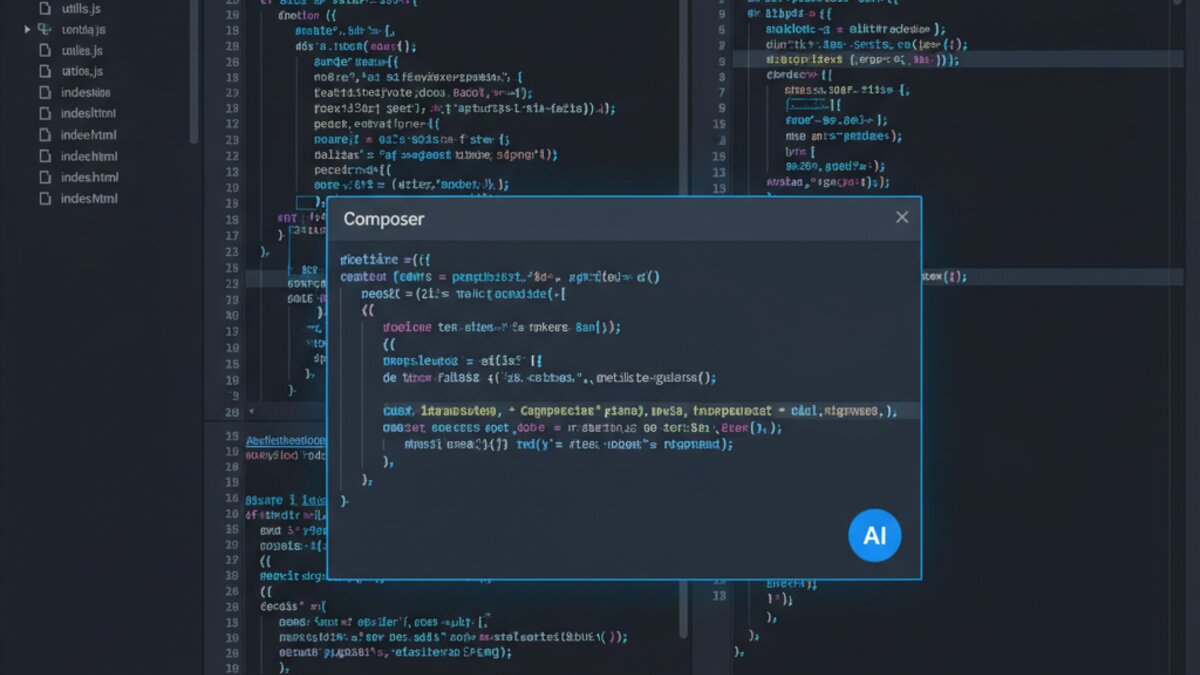
Composer (opened with Cmd+I / Ctrl+I) is Cursor’s most underused feature. Unlike the inline editor (Cmd+K), Composer can write, edit, and create multiple files in a single request — and show you a diff before applying anything.
The Right Way to Use Composer
Vague prompts produce vague code. Give Composer context the same way you’d brief a junior engineer on their first day. A strong Composer prompt has three parts: what you want, where it should live, and any constraints to respect.
Here’s a prompt pattern that consistently produces clean, applicable results:
Create a new React component called `UserProfileCard` in src/components/UserProfileCard.tsx.
It should accept props: { name: string; avatarUrl: string; role: string; joinDate: Date }.
Use Tailwind CSS for styling. Export the component as default.
Also update src/components/index.ts to re-export it.
No third-party libraries beyond what's already in package.json.
Notice what this does: it specifies the file path, the types, the styling approach, side effects (updating the index), and a constraint. Composer will produce both files, show you a unified diff, and wait for your approval. Review before hitting “Accept All” — the diff view is your best safety net.
Referencing Files with @
Cursor’s @ syntax lets you pull specific files or symbols into any Composer or chat context. Instead of hoping the model has read the right file, you pin it explicitly:
@src/api/auth.ts Refactor the `refreshToken` function to use async/await
instead of promise chains. Keep the same public signature.
You can stack multiple @ references. @src/types/User.ts @src/api/auth.ts gives the model the type definitions and the implementation at once, preventing the hallucinated type errors that plague underpowered prompts.
Cursor Rules: Set Them Once, Enforce Them Always
Every project has conventions: naming patterns, forbidden libraries, required comment formats, architectural boundaries. Without Cursor Rules, you’ll repeat those constraints in every prompt. With them, the model follows them automatically.
Creating a .cursorrules File
Drop a .cursorrules file in your project root. Cursor reads it on every request. Here’s a practical starting template for a TypeScript/React project:
# Project Rules for Cursor

## Language & Style
- All new files must use TypeScript. Never use `any` — use `unknown` and narrow it.
- Prefer functional components. No class components.
- Use named exports for components, default exports only for pages.

## Architecture
- API calls live in src/api/. Never fetch directly from components.
- Global state is managed with Zustand. Do not introduce Redux or Context for state.
- Do not install new npm packages without asking. Prefer utilities already in the codebase.

## Testing
- All new utility functions in src/utils/ must have a corresponding .test.ts file.
- Use Vitest. Not Jest.

## Comments
- Functions longer than 20 lines must have a JSDoc block explaining the purpose and params.
These rules act as a persistent system prompt layered on top of every Cursor interaction. The model will refuse to use any, will keep API calls where they belong, and will remind you if you ask it to do something that violates the rules.
Per-Directory Rules (Cursor 0.45+)
Cursor now supports directory-scoped rule files. Create .cursor/rules/backend.mdc and it will only activate for files in that subdirectory. This is powerful for monorepos where your frontend and backend have completely different conventions.
The Codebase Indexing Workflow
Cursor indexes your codebase for semantic search — but the quality of answers from Codebase Chat (Cmd+Shift+L) depends on how well your files communicate their purpose. A few habits dramatically improve retrieval quality:
- Keep files focused. A 1,200-line file mixes concerns and confuses retrieval. Cursor’s chunker works better on files under 300 lines.
- Use descriptive function names.
handleSubmitis opaque.submitUserRegistrationFormis findable. - Write module-level comments. A two-line comment at the top of each file explaining what it does dramatically improves how Cursor surfaces it in search.
- Exclude noise. Add generated files,
dist/, andnode_modules/to.cursorignore(same syntax as.gitignore).
With a clean index, you can ask questions like “Where is the subscription renewal logic?” or “Which files touch the user’s billing state?” and get accurate answers instead of hallucinated file paths.
Advanced Prompt Patterns for Cursor Chat
A few prompt patterns that work especially well in Cursor’s context window:
The “Explain Before You Change” Pattern
Before making any changes, explain your understanding of how `processOrder` currently works
and what side effects it has. Then propose the refactor.
This forces the model to demonstrate comprehension before touching code. If the explanation is wrong, you catch it before any files change.
The “Test First” Pattern
Write the unit tests for `calculateDiscount` in src/utils/pricing.ts first.
Then implement the function to make them pass. Use Vitest.
Cursor in TDD mode produces dramatically more correct implementations because the tests act as a spec the model tries to satisfy, not a formality written after the fact.
The “Don’t Touch X” Pattern
Refactor the error handling in src/api/orders.ts to use a Result type.
Do NOT change the function signatures — they are used by 12 other files.
Only the internal implementation should change.
Explicit negative constraints prevent the model from “helpfully” refactoring things you didn’t ask it to touch.
Pairing Cursor with OpenRouter for Model Flexibility
Cursor lets you bring your own API key and route to different models. Pairing it with OpenRouter gives you access to Claude 4, Gemini 2.5 Pro, and others from a single key — useful when you want to switch models for different task types (reasoning-heavy refactors vs. fast autocomplete) without juggling multiple accounts.
The Bottom Line
Cursor earns its place in a serious developer’s toolkit not through magic, but through structure. The developers who get the most out of it are the ones who invest 20 minutes setting up a solid .cursorrules file, learn the Composer diff workflow, and build the habit of precise, context-rich prompts. The payoff isn’t just faster typing — it’s the ability to tackle architectural changes, cross-file refactors, and test coverage in the time it used to take to write a single function.
Start with rules, graduate to Composer, and let the codebase index do the heavy lifting. That’s the workflow.
What to Read Next
- Malicious Hugging Face Repo Impersonating OpenAI 2026: How to Spot Fake Model Releases
- Grok 4.5 Review 2026: The Fast AI Built for Coding and Analysis
- ChatGPT Plus vs Claude Pro 2026: Which $20/Month AI Is Actually Worth It?
- OpenRouter’s Unified Video API Meets Make.com: Building an AI Video Pipeline That Doesn’t Lock You Into One Model
- Browse all AI Stack Digest articles
Bookmark aistackdigest.com for daily AI tools, reviews, and workflow guides.
This article was produced with the assistance of AI tools and reviewed by the AIStackDigest editorial team.