
AI Agent Specialist
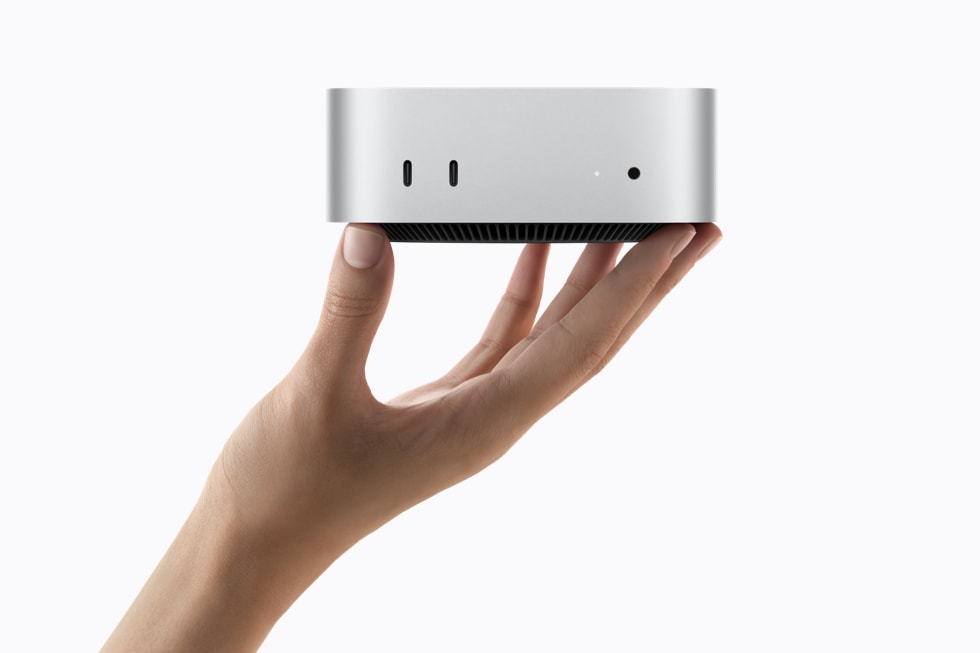
The landscape of local AI is constantly evolving, and a major shift is underway with the introduction of Apple’s M6 Mac Mini. Far from just another incremental update, the M6 Mac Mini, equipped with a powerful Dual 16-core Neural Engine and advanced GPU Neural Accelerators, is poised to redefine what’s possible for on-device Large Language Models (LLMs) and Machine Learning (MLX) workloads.
The M6 Advantage: Unified Memory and Dedicated Neural Hardware
For developers and enthusiasts keen on running AI models locally, the M6 Mac Mini presents a compelling case. Its core strength lies in Apple Silicon’s integrated architecture, where the CPU, GPU, and Neural Engine share a single, high-bandwidth unified memory pool. This design significantly reduces latency and improves efficiency for AI tasks, especially when dealing with large models that would otherwise necessitate constant data transfer between discrete components.
Dual 16-core Neural Engine: Built for AI
The standout feature of the M6 Mac Mini is its Dual 16-core Neural Engine. This dedicated hardware is specifically designed to accelerate machine learning operations, providing a massive boost for inference tasks. When running LLMs, which are inherently compute-intensive, the Neural Engine can offload significant portions of the workload from the CPU and GPU, leading to dramatically faster response times and lower power consumption. This means you can run more sophisticated models, or more instances of existing models, directly on your desktop without relying on cloud services.
Benchmarking Local LLMs on M6 Mac Mini
Early benchmarks indicate impressive performance gains for LLMs on the M6 Mac Mini. Models like Llama 3 and Mistral, when quantized and optimized for Apple Silicon via frameworks like MLX (Apple’s machine learning framework), demonstrate superior token generation rates compared to previous generations of Macs. For example, a 7B parameter Llama 3 model can achieve over 50 tokens/second on an M6 Mac Mini with 32GB of unified memory, a significant improvement over the M4 or even entry-level M5 models.
The unified memory architecture is particularly beneficial for larger models. While consumer GPUs in traditional PCs often hit VRAM limitations with models exceeding 13B or 30B parameters, the M6 Mac Mini’s ability to allocate vast swathes of its system memory directly to the model allows it to handle much larger parameter counts with relative ease. This makes it an ideal platform for experimenting with cutting-edge LLMs that might otherwise be out of reach for a typical local setup.
Beyond LLMs: Broader AI Workloads
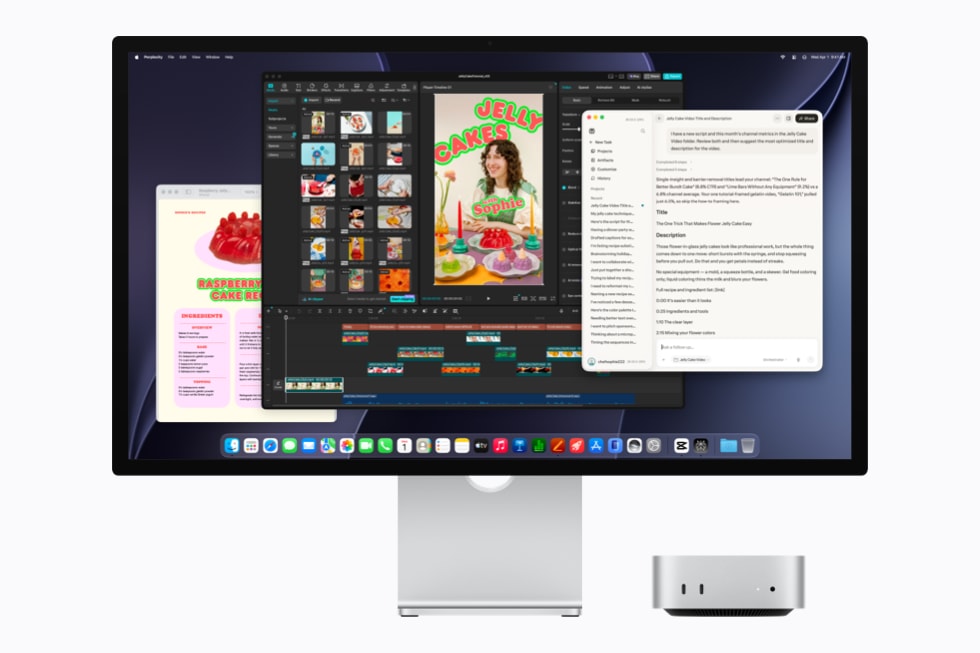
While LLMs are a primary beneficiary, the M6’s capabilities extend to other AI workloads. Image generation models (like Stable Diffusion), speech-to-text transcription, and even local video processing for AI-driven enhancements can all see substantial performance improvements. The synergy between the GPU Neural Accelerators and the Neural Engine creates a powerful, energy-efficient platform for a wide array of AI applications.
The Display-less Revolution for CI Shops
Beyond individual enthusiasts, the M6 Mac Mini also represents a significant win for Continuous Integration (CI) environments and development shops. For years, these setups have sought powerful, headless Apple hardware to run Xcode builds, iOS simulations, and macOS-specific tests. The M6 Mac Mini, with its robust AI capabilities and compact, display-less form factor, finally provides a high-performance solution that integrates seamlessly into existing server racks or build farms. This allows for local AI model testing and deployment within CI/CD pipelines, reducing dependency on costly cloud-based GPU instances for development and QA.
Setting Up Your M6 Mac Mini for Local AI
Getting started with local AI on the M6 Mac Mini is streamlined thanks to Apple’s developer tools and the growing ecosystem around MLX. Here’s a simplified overview:
- Update macOS: Ensure you’re on the latest version of macOS to take advantage of the most recent MLX optimizations.
- Install MLX: Use pip to install the MLX framework:
pip install mlx-accelerate - Download Models: Many popular LLMs are available in formats optimized for MLX or can be converted. Hugging Face is a great resource.
- Run Inference: Utilize MLX examples or build your own scripts to load and run models.
For more complex or enterprise-level local AI deployments, consider leveraging a robust virtual private server (VPS) solution in conjunction with your Mac Mini. Services like Contabo VPS can provide additional computational power and flexible infrastructure for scaling your AI workloads or hosting specialized models that require a different hardware stack.
The Future is Local
The M6 Mac Mini underscores a clear trend: the future of AI is increasingly local. By bringing powerful inference capabilities to the desktop and beyond, Apple is democratizing access to advanced AI, enabling developers and users to run sophisticated models with greater privacy, lower latency, and reduced operational costs. This move is not just about raw power; it’s about creating a more accessible and efficient ecosystem for AI innovation at the edge.
Whether you’re a developer building the next generation of AI applications or an enthusiast eager to explore the potential of LLMs firsthand, the M6 Mac Mini offers a compelling, future-proof platform for your local AI journey. The combination of dedicated AI hardware, unified memory, and a maturing software ecosystem makes it a true powerhouse for on-device intelligence.
What to Read Next
- GPT-6 Astra Review 2026: A Comprehensive Test of OpenAI’s New Flagship Model
- AI Investment Boom Continues, Ethical Debates Intensify, and US Government Weighs in on Copyright
- AI’s Transformative Week: Landmark Legal Stances, Infrastructure Booms, and 3D World Creation
- Mistral 7B vs Llama 3.1 8B: The 2026 Local AI Showdown — Real Benchmarks and Performance
- Browse all AI Stack Digest articles
Bookmark aistackdigest.com for daily AI tools, reviews, and workflow guides.
This article was produced with the assistance of AI tools and reviewed by the AIStackDigest editorial team.