
Local AI & Open Source Reporter
The landscape of local AI is constantly evolving, with new breakthroughs pushing the boundaries of what’s possible on consumer hardware. This week, a significant development from Hugging Face is set to redefine how developers and enthusiasts interact with large language models (LLMs) offline. The Hugging Face Transformers library, a cornerstone of modern AI development, has announced official support for running llama.cpp quantizations directly. This isn’t just a technical upgrade; it’s a game-changer for performance, accessibility, and the overall ecosystem of local AI, promising a new era where powerful models run more efficiently on your laptop than ever before. With this integration, users can leverage the familiar Transformers API to load and run GGUF models, bringing the best of both worlds – the broad model support of Transformers and the unparalleled local inference efficiency of llama.cpp – to the forefront.

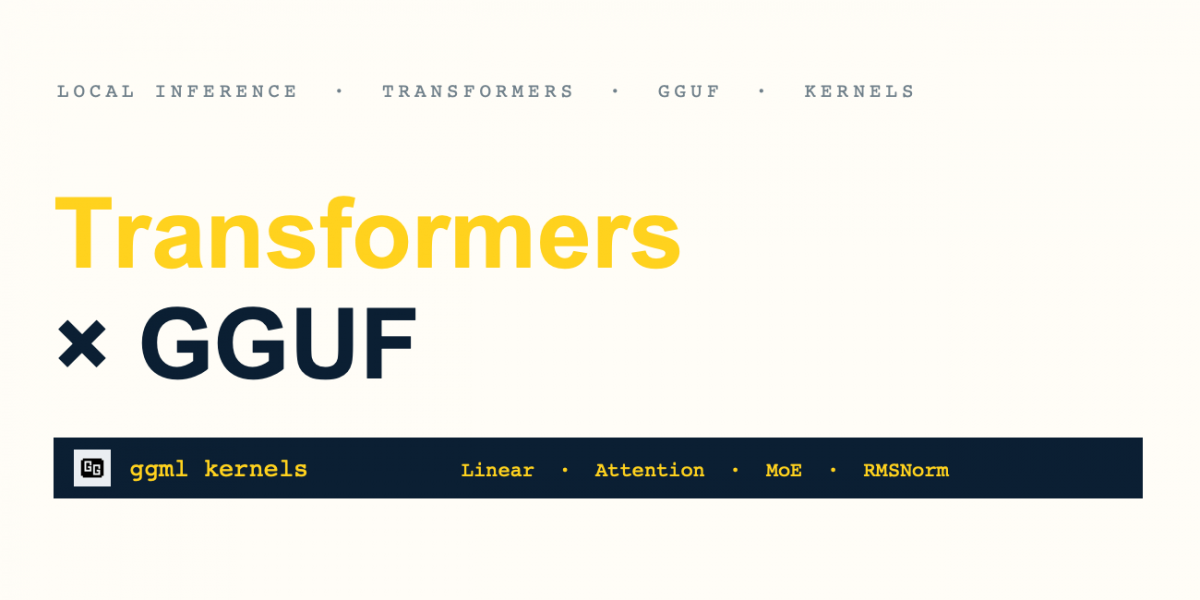
Image: Hugging Face Blog
What This Integration Actually Means for Local AI
The core of this announcement lies in the seamless integration of GGUF (GGML Unified Format) models within the Hugging Face Transformers library. GGUF, a file format developed by the llama.cpp team, has become the de facto standard for efficient local inference. It meticulously packages model weights, metadata, tokenizer information, and even optional chat templates into a single, highly optimized file. This format’s key innovation is its support for various quantization levels, allowing users to make a strategic trade-off between model precision and memory footprint. The ability to load these GGUF models directly via from_pretrained in Transformers means developers no longer need to navigate disparate toolchains to achieve optimal local performance.
This move significantly lowers the barrier to entry for local AI development. Previously, while llama.cpp offered superior performance for quantized models, integrating them into complex Python-based AI pipelines could be cumbersome. Now, the familiar and widely-adopted Transformers API provides a unified interface. This is especially beneficial for rapid prototyping, research, and for those who want to leverage the rich ecosystem of Transformers’ tools for evaluation, fine-tuning, and experimentation, all while enjoying the efficiency of GGUF on their local machines.
GGUF Quantization: The Key to On-Device Performance
Quantization is a critical technique for running large language models on consumer-grade hardware. It involves reducing the precision of the model’s weights, typically from 16-bit floating-point (FP16) to lower bitrates like 8-bit (INT8) or 4-bit (INT4). GGUF excels here by offering a range of quantization variants, such as Q4_K_M, Q5_K_M, and Q6_K. These variants are designed to maximize efficiency by mixing tensor precisions, using mostly lower-bit weights while preserving higher precision for sensitive tensors crucial to model accuracy. This approach allows for substantial reductions in VRAM usage and faster inference speeds without a drastic drop in performance.
For instance, an unquantized BF16 model might consume over 8GB of VRAM, making it impractical for many laptops. However, a Q4_K_M GGUF variant of the same model could shrink to less than 3GB, opening up possibilities for devices with more modest specifications. This flexibility means users can select the quantization level that best balances their available hardware resources with the required model quality for their specific tasks. The Hugging Face documentation on GGUF provides detailed insights into these quantization types, guiding users to make informed decisions for their local deployments.
| GGUF Variant | File Size (Qwen3.5-4B) | Tradeoff |
|---|---|---|
| BF16 | 8.42 GB | Unquantized reference |
| Q6_K | 3.53 GB | More precision than smaller variants |
| Q5_K_M | 3.14 GB | A middle ground between size and precision |
| Q4_K_M | 2.74 GB | A practical starting point for local inference |
The table above illustrates the significant memory savings achieved through various GGUF quantizations for a 4-billion parameter model. Starting with Q4_K_M is generally recommended as a balance of performance and size, with options to go higher (Q5_K_M, Q6_K) if more memory is available, or more aggressively for larger models that need to fit within constraints. This flexibility is crucial for the diverse range of hardware found in the local AI community.
Hardware Requirements: Can You Actually Run It?
While the GGUF integration is a boon for efficiency, specific hardware is still recommended for optimal performance. The initial focus of this integration is on Apple Silicon, leveraging its unified memory architecture and Metal performance shaders (MPS). Users with an Apple Silicon Mac will experience the most significant benefits, especially when coupled with a supported PyTorch version and the latest Transformers library along with the kernels package.
To get started, you will typically need:
- An Apple Silicon Mac (e.g., M1, M2, M3 series).
- A PyTorch version compatible with the published
ggml-quantization kernel builds(usually the two latest releases). - The latest version of Hugging Face Transformers and the
kernelslibrary, installed from their respective GitHub repositories for the most up-to-date features.
For those without Apple Silicon, the GGUF models can still be loaded, but they will likely be dequantized, consuming more memory and potentially sacrificing some of the performance benefits. The packed inference path, which utilizes the specialized ggml/Metal layer kernels, is currently MPS-only. This means that while the GGUF format itself is broadly applicable, the most optimized, packed kernel execution is initially exclusive to Apple’s hardware. However, this is an evolving space, and broader hardware support is a likely future development.
| Quantization | VRAM Needed (Approx.) | Typical Speed (t/s) | Quality Tradeoff |
|---|---|---|---|
| FP16/BF16 | High (e.g., >8GB for 7B model) | Baseline | Highest (no quantization loss) |
| Q8_0 | Medium (e.g., ~7GB for 7B model) | Good | Minimal noticeable loss |
| Q5_K_M | Lower (e.g., ~5GB for 7B model) | Very Good | Slight quality reduction, often imperceptible |
| Q4_K_M | Lowest (e.g., ~4GB for 7B model) | Excellent | Noticeable on some complex tasks, still highly usable |
This table provides a general overview for a hypothetical 7B parameter model, illustrating the significant reduction in VRAM and the manageable trade-off in quality as quantization increases. These numbers can vary based on the specific model architecture and hardware.
How to Run It Right Now with Transformers
The beauty of this integration lies in its simplicity. If you have the prerequisites installed, running a GGUF model is as straightforward as loading any other model in Transformers. Here’s a quick guide:
1. Installation
Ensure you have the latest Transformers from source and the kernels package:
pip install -U "git+https://github.com/huggingface/transformers.git" kernels2. Loading and Inference
You’ll need the model ID from Hugging Face Hub and the specific GGUF filename you wish to use (e.g., Q4_K_M variant).
import torch
from transformers import AutoModelForCausalLM, AutoTokenizer

model_id = "unsloth/Qwen3.5-4B-GGUF"
filename = "Qwen3.5-4B-Q4_K_M.gguf"

tokenizer = AutoTokenizer.from_pretrained(model_id, gguf_file=filename)
model = AutoModelForCausalLM.from_pretrained(
    model_id,
    gguf_file=filename
)

# Standard Transformers API for generation
messages = [{"role": "user", "content": "Explain why the sky is blue in a few sentences."}]
inputs = tokenizer.apply_chat_template(
    messages,
    tokenize=True,
    add_generation_prompt=True,
    return_dict=True,
    return_tensors="pt",
).to(model.device)

with torch.inference_mode():
    outputs = model.generate(**inputs, max_new_tokens=256)

print(tokenizer.decode(outputs[0], skip_special_tokens=True))
This snippet demonstrates how seamlessly GGUF models fit into existing Transformers workflows. The gguf_file argument is the only addition, and the rest of the generation process remains identical to what Transformers users are accustomed to. If the compatible quantization kernel cannot be fetched, the model gracefully falls back to a default attention implementation, though with potentially reduced performance.
Serve GGUF with OpenAI-Compatible API
Beyond direct Python usage, Hugging Face also provides a way to serve these GGUF models with an OpenAI-compatible API using transformers serve. This is particularly exciting for developers building applications that currently rely on OpenAI’s API but wish to transition to local models for privacy, cost, or latency reasons.
1. Installation for Serving
pip install -U "transformers[serving] @ git+https://github.com/huggingface/transformers.git" kernels2. Running the Server
transformers serve "unsloth/Qwen3.5-4B-GGUF:Qwen3.5-4B-Q4_K_M.gguf"The model argument specifies the Hugging Face Hub repository and the desired GGUF file within it. This server then exposes an API that can be consumed by various clients, including popular local AI tools like Jan or Pi, by configuring a custom OpenAI-compatible provider.
This capability accelerates the development of local-first AI applications, allowing them to switch between cloud-based and local models with minimal code changes. It also fosters a more robust ecosystem for local AI, as developers can use a standardized API to interact with a wide array of GGUF-quantized models.
Benchmarking Reality: Transformers vs. llama.cpp
The critical question for any new integration is performance. How does Transformers, running GGUF, stack up against the highly optimized, dedicated llama.cpp engine? Hugging Face’s benchmarks, conducted on a MacBook Pro M2 Max, show impressive results. Across various GGUF checkpoints, Transformers demonstrates performance very close to that of llama.cpp, measured by tokens per second (tok/s).
It’s important to note that while the numbers are close, the benchmark methodologies differ slightly. llama.cpp‘s llama-bench tool typically reports decode-only throughput, whereas the Transformers measurements include prefill time. Despite this, the near-parity in performance is a testament to the engineering effort, particularly in reusing llama.cpp‘s underlying GGML kernels through the new kernels library. This intelligent reuse of highly optimized low-level operations ensures that the Python and PyTorch-based Transformers environment can achieve near bare-metal efficiency.
The benchmarks covered different model sizes and types, including dense and mixture-of-experts (MoE) models, providing a comprehensive view of the integration’s effectiveness. This means that whether you’re running a smaller model for quick local tasks or a more complex MoE architecture, the performance overhead introduced by using Transformers is minimal, if any.
This strong performance positions the Transformers-GGUF integration as a viable, and in many cases, preferable option for local inference, especially for those who value the flexibility and development ecosystem that Hugging Face provides.
Use Cases: What It’s Actually Good For
The ability to run GGUF models efficiently within Hugging Face Transformers unlocks a multitude of practical use cases for local AI:
- Rapid Prototyping and Experimentation: Developers can quickly test new ideas, modify model behaviors, and inspect intermediate activations using familiar PyTorch tools, all with the speed of quantized local inference.
- Offline Applications: Build robust applications that function entirely offline, leveraging powerful LLMs for tasks like content generation, summarization, or coding assistance without an internet connection. This is crucial for privacy-sensitive environments and areas with limited connectivity.
- Resource-Constrained Devices: Deploy advanced AI capabilities on laptops, embedded systems, or even mobile devices with limited memory and processing power, thanks to the efficiency of GGUF quantization.
- Custom Fine-tuning: Use GGUF checkpoints as a starting point for fine-tuning. Transformers allows dequantizing weights and continuing with standard training workflows, enabling personalized models directly on local hardware.
- Educational Purposes: Students and researchers can experiment with and understand complex LLMs without needing access to expensive cloud GPUs, fostering broader engagement in AI development.
- Privacy-Preserving AI: For applications where data privacy is paramount, running models locally ensures that sensitive information never leaves the user’s device, providing a secure environment for processing and generation.
From coding assistants and intelligent document analysis to creative writing tools, the enhanced performance and ease of use offered by this integration will catalyze innovation in local AI, making advanced models accessible to a wider audience and enabling a new generation of privacy-first, on-device applications.
Beyond GGUF: The Future of GGML Kernels in Transformers
While GGUF integration is a major milestone, the Hugging Face team is looking further. The broader opportunity lies in bringing GGML’s performance optimizations to models that llama.cpp might not natively support. By integrating GGML kernels and quantization schemes directly into PyTorch, Transformers can accelerate operations across various architectures, even those without a dedicated llama.cpp implementation.
This approach is particularly valuable for novel architectures, cutting-edge research models, and custom variants that may not see a full llama.cpp port. The fundamental principle is that a kernel operates on tensors, and these optimized building blocks can be integrated into existing Transformers models and loading workflows, independent of the GGUF format itself. This opens the door for accelerating other modalities—computer vision models, audio models, and multimodal models—by reusing compatible attention, normalization, and matrix multiplication kernels. The initial focus remains on text generation, but the path forward for broader applicability is clear.
The innovation extends to the generation loop itself, with improvements like optimized attention mask handling and deferred stopping checks. These changes reduce CPU-GPU synchronization overhead, boosting performance for all Transformers models, not just those using GGUF. It’s a holistic approach to making local inference faster and more efficient, ensuring that Python and PyTorch remain at the forefront of local AI development.
The Verdict: Worth Running Locally?
Absolutely. The integration of llama.cpp quantizations into Hugging Face Transformers is a monumental step forward for the local AI ecosystem. It successfully bridges the gap between the comprehensive model support of Transformers and the unparalleled local inference efficiency of llama.cpp. For developers, researchers, and enthusiasts, this means:
- Enhanced Performance: Near
llama.cppspeeds within the familiar Transformers environment, especially on Apple Silicon. - Simplified Workflow: A unified API for loading and running quantized models, reducing complexity and accelerating development.
- Broader Accessibility: Making powerful LLMs more accessible on a wider range of consumer hardware.
- Future-Proofing: A clear roadmap for extending GGML kernel optimizations to more architectures and modalities within Transformers.
For anyone serious about local AI, this development makes a compelling case for downloading and experimenting with GGUF models via Transformers. It significantly lowers the hardware floor required for effective LLM usage, enabling advanced capabilities on your laptop. While cloud APIs still offer immense scalability and specialized hardware, the privacy, cost-efficiency, and creative freedom offered by local inference, now more accessible than ever, present a powerful alternative. The future of local AI is not just about making models smaller; it’s about making them smarter, faster, and seamlessly integrated into our personal computing environments, and this integration is a giant leap in that direction.
With the rise of AI bot traffic floods in 2026, these quantized models have become essential tools for website owners looking to protect their resources. The latest benchmarks from October 2026 show that Llama.cpp quantized models can process web traffic logs 3-4x faster than traditional cloud-based solutions, allowing real-time detection of suspicious AI bot patterns. Major hosting providers are now integrating these lightweight models directly into their security stacks to identify AI-generated traffic without impacting website performance.
Recent developments in transformer quantization have also enabled more sophisticated bot detection capabilities. The newest 4-bit and 5-bit quant versions released this month can accurately distinguish between legitimate AI research crawlers and malicious traffic floods, helping website administrators implement targeted blocking strategies. As AI bot traffic continues to evolve through 2026, running local quantized models provides a cost-effective first line of defense against performance-draining attacks.
What to Read Next
- Gemini 4 Argon Review 2026: Features, Pricing, and Benchmarks vs Claude Haiku 5.5
- Windsurf Review 2026: The AI Agent for Next-Gen Code Analysis and Development
- Windsurf Review 2026: The AI Agent for Next-Gen Code Analysis and Development
- Windsurf Review 2026: The AI Agent for Next-Gen Code Analysis and Development
- Browse all AI Stack Digest articles
Bookmark aistackdigest.com for daily AI tools, reviews, and workflow guides.
This article was produced with the assistance of AI tools and reviewed by the AIStackDigest editorial team.