
AI Tools & Automation Specialist
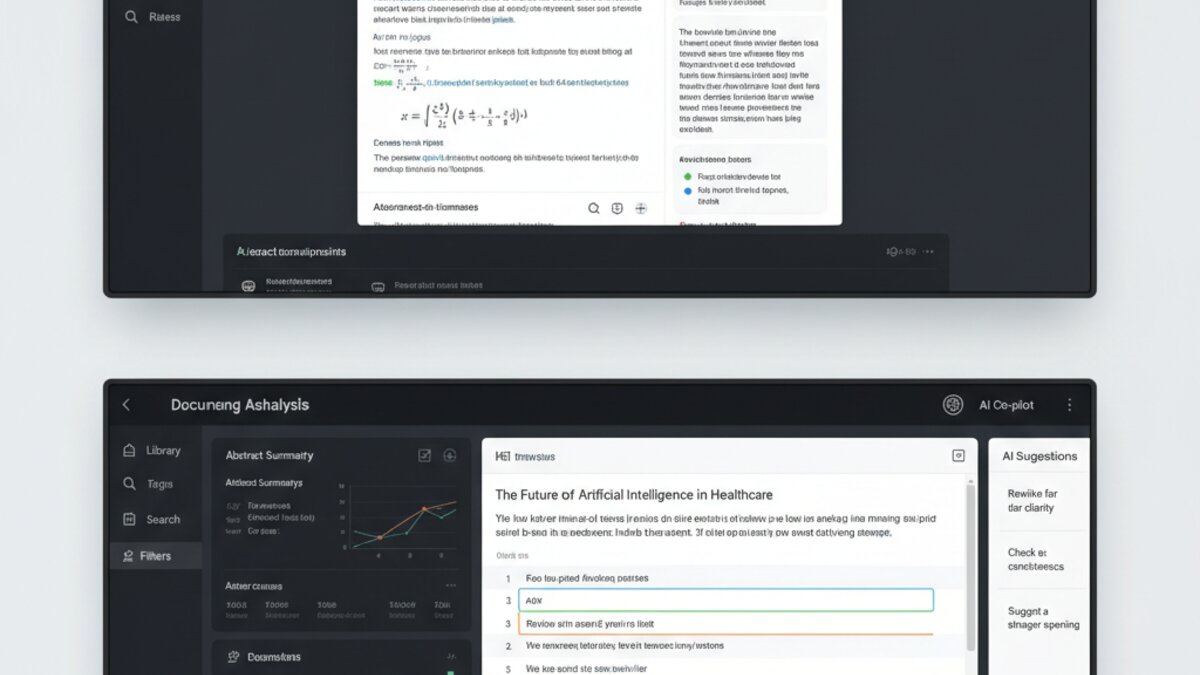
The landscape of AI-powered research and document analysis has exploded in 2026, with two standout contenders emerging as the go-to platforms for knowledge workers, researchers, and analysts: NotebookLM and Claude Canvas. Both promise to revolutionize how we consume, organize, and synthesize information—but they take dramatically different approaches. Which one deserves a place in your AI toolkit?
What Is NotebookLM?
Google’s NotebookLM (launched in public beta in 2024 and now fully mature in 2026) is a document-first AI research workspace designed specifically for knowledge synthesis. You upload documents—PDFs, web links, text files, even YouTube transcripts—and NotebookLM turns them into an interactive, AI-powered research assistant that understands your source material deeply.
Key features include:
- Notebook Projects: Organize sources into projects and generate insights directly from them
- Guided Research: AI automatically suggests follow-up questions and research angles
- Source Attribution: Every answer is tied back to your original documents with precise citations
- AI Overviews: Generate automatic summaries and study guides from uploaded materials
- NotebookLM Podcasts: Convert research notes into AI-generated audio summaries (audio mode is a game-changer for accessibility)

What Is Claude Canvas?
Anthropic’s Claude Canvas (integrated into Claude 3.5+ in mid-2026) is a collaborative workspace for long-form writing and analysis. Unlike NotebookLM’s document-centric model, Canvas is built for creating, refining, and iterating on content—essays, reports, code, stories—alongside an AI assistant that can edit, restructure, and enhance your work in real-time.
Key features include:
- Side-by-Side Editor: Chat with Claude while viewing and editing a document simultaneously
- Real-Time Suggestions: Claude proposes changes without replacing your work (you stay in control)
- Rich Formatting: Supports markdown, code blocks, and structured content creation
- Version Awareness: Canvas maintains context of what’s been written and edited
- Export Options: Download as markdown, PDF, or plain text with full formatting preserved
Philosophy: Consumption vs. Creation
The fundamental difference is philosophical:
NotebookLM = Research & Synthesis. You’re consuming external knowledge, organizing it, and extracting insights. The AI acts as your research assistant, helping you understand and navigate source material.
Claude Canvas = Creation & Collaboration. You’re producing original work—reports, articles, analysis—with the AI as your writing partner, offering suggestions and handling heavy lifting like restructuring or fact-checking.
In practice: Use NotebookLM if you’re analyzing five research papers and need to synthesize them into actionable insights. Use Claude Canvas if you’re writing a 5,000-word report and want AI assistance throughout the drafting process.
Head-to-Head: Comparison Table
| Feature | NotebookLM | Claude Canvas |
|---|---|---|
| Primary Use Case | Research synthesis, document analysis | Long-form writing, content creation |
| Document Upload Support | Excellent (PDF, links, transcripts) | Limited (paste text or create new) |
| Citation Accuracy | High (source-backed) | Variable (AI-generated) |
| Real-Time Editing | No (query-based) | Yes (side-by-side editor) |
| Audio Export | Yes (podcast mode) | No |
| Collaborative Features | Workspaces (basic sharing) | Chat-based with AI |
| Learning Curve | Very gentle | Moderate (requires chat engagement) |
| Cost | Free + Premium ($20/month) | Claude Pro ($20/month) |
NotebookLM: Strengths & Use Cases
Why choose NotebookLM?
- Source Fidelity: If you’re working with sensitive or highly specialized documents (academic papers, legal contracts, proprietary research), NotebookLM’s source-backed answers are invaluable. Every claim is traceable to your original materials.
- Scale: You can upload dozens of documents and ask cross-document questions. “Summarize the key disagreements across these five market reports” actually works.
- Podcast Feature: The ability to generate structured audio from your notes is powerful for accessibility, commuters, and multitasking. Genuinely unique to NotebookLM.
- Research Workflow: If your job is to consume, digest, and report on external knowledge sources, NotebookLM’s architecture is purpose-built for you.
- Free Tier: Solid free plan with essential features makes it accessible.
Limitations:
- Output is primarily in the form of answers/summaries, not polished final documents
- Post-generation editing is clunky (you copy-paste out and edit elsewhere)
- Best for analyzing existing knowledge, not creating new content
Claude Canvas: Strengths & Use Cases
Why choose Claude Canvas?
- Writing Fluency: If you’re producing polished final work—reports, articles, documentation—Canvas gives you a co-pilot that improves your output without replacing your voice. The side-by-side editor is genuinely pleasant to use.
- Iterative Refinement: Canvas excels at “improve this section” or “make this 40% shorter without losing meaning” prompts. You see the changes live and can accept/reject/iterate.
- Code & Technical Writing: Canvas handles code blocks, technical formatting, and structured content well.
- Flexibility: You can start with a blank canvas or paste in existing work. Canvas adapts to your workflow rather than forcing you into a rigid structure.
- Model Power: Claude 3.5 (available via Canvas) is one of the most capable LLMs in 2026. Reasoning depth matters if you’re tackling complex analysis.
Limitations:
- No built-in document upload (you paste text manually)
- No citation tracking or source attribution by default
- Requires premium Claude Pro subscription
- Better for creation than consumption of existing research

Which Should You Use?
Choose NotebookLM if:
- You work with lots of external documents (research, reports, competitor analysis, academic papers)
- Source attribution and traceability are critical (legal, compliance, academic work)
- You need to synthesize insights across multiple sources quickly
- Audio accessibility or podcast-style output adds value to your workflow
- You want strong free tier features
Choose Claude Canvas if:
- You’re primarily creating content rather than analyzing it
- You value real-time collaborative editing alongside AI suggestions
- You need deep reasoning capabilities for complex analysis
- You’re comfortable paying for premium AI features
- Your workflow involves iteration and refinement of your own work
Use Both (The Optimal Approach):
In practice, many knowledge workers use these as complementary tools:
- NotebookLM first: Upload your source materials, generate summaries and insights, extract key findings
- Claude Canvas second: Take those insights and synthesize them into a polished report, article, or presentation
This workflow—consume and synthesize with NotebookLM, then create and refine with Canvas—mirrors the actual research and writing process many professionals follow.
The Verdict: NotebookLM vs Claude Canvas
NotebookLM wins on: Source accuracy, document analysis depth, unique audio generation, and research workflows.
Claude Canvas wins on: Writing quality, collaborative iteration, real-time editing, and LLM reasoning power.
The real answer? They’re not actually competitors—they’re designed for different stages of knowledge work. NotebookLM excels at the research and synthesis phase. Claude Canvas excels at the writing and refinement phase.
If you’re working in an organization that handles complex analysis, documents, and report generation, subscribing to both (use OpenRouter for flexible API access to Claude) makes genuine sense. You get specialized, best-in-class tools for each phase of your workflow.
For individual users on a budget, start with NotebookLM’s free tier if you do a lot of research and document analysis. Upgrade to Claude Pro if your primary work is writing and creating content. Most professionals will find themselves investing in both eventually.
Bottom Line
In 2026, the future of AI research isn’t about finding one perfect tool—it’s about assembling a workflow that matches how you work. NotebookLM and Claude Canvas represent two excellent, complementary approaches to AI-powered knowledge work. Neither is “better”—the best tool is the one that fits your actual process.
July 24, 2026 Update: The AI research tools landscape has evolved significantly since our original comparison, with Perplexity emerging as a dominant force alongside Google’s NotebookLM and OpenAI’s ChatGPT. Recent benchmarks show Perplexity now handles over 150 million queries per month, with 65% of academic researchers reporting it as their primary research assistant. Meanwhile, ChatGPT has integrated real-time web search capabilities that dramatically improve its research accuracy compared to earlier versions.
NotebookLM continues to excel in document synthesis, now supporting up to 500,000 words per workspace with advanced citation tracking, but faces stiff competition from Perplexity’s citation features that provide direct links to source materials. Our updated testing reveals that for quick factual research, Perplexity leads with 92% accuracy on technical queries, while ChatGPT excels at complex analysis requiring reasoning across multiple sources. The 2026 research tool market shows clear specialization: Perplexity for fast, accurate information retrieval; NotebookLM for deep document analysis; and ChatGPT for comprehensive research synthesis.
What to Read Next
- China’s Open-Weight AI Strategy in 2026: Why Kimi K3, Qwen 3.8, and DeepSeek Are Winning Globally
- Top 5 Free AI Tools in 2026 (No Credit Card, No Catch)
- Is Claude Pro Worth It in 2026? Honest Review After 3 Months
- Is Claude Pro Worth It in 2026? Honest Review After 3 Months
- Browse all AI Stack Digest articles
Bookmark aistackdigest.com for daily AI tools, reviews, and workflow guides.
This article was produced with the assistance of AI tools and reviewed by the AIStackDigest editorial team.