
OpenClaw & AI Agents Expert
One of the most exciting frontiers in AI video right now isn’t text-to-video — it’s video-to-video transformation. Instead of generating footage from scratch, these tools take your existing clips and reimagine them in a completely different visual style: anime, oil painting, 3D animation, cinematic realism, or surreal fantasy. In 2026, three platforms have emerged as the clear leaders for this workflow: DomoAI, Pika, and Runway. This guide breaks down how each one works, what they’re best at, and which to use for your next project.
What Is AI Video-to-Video Transformation?
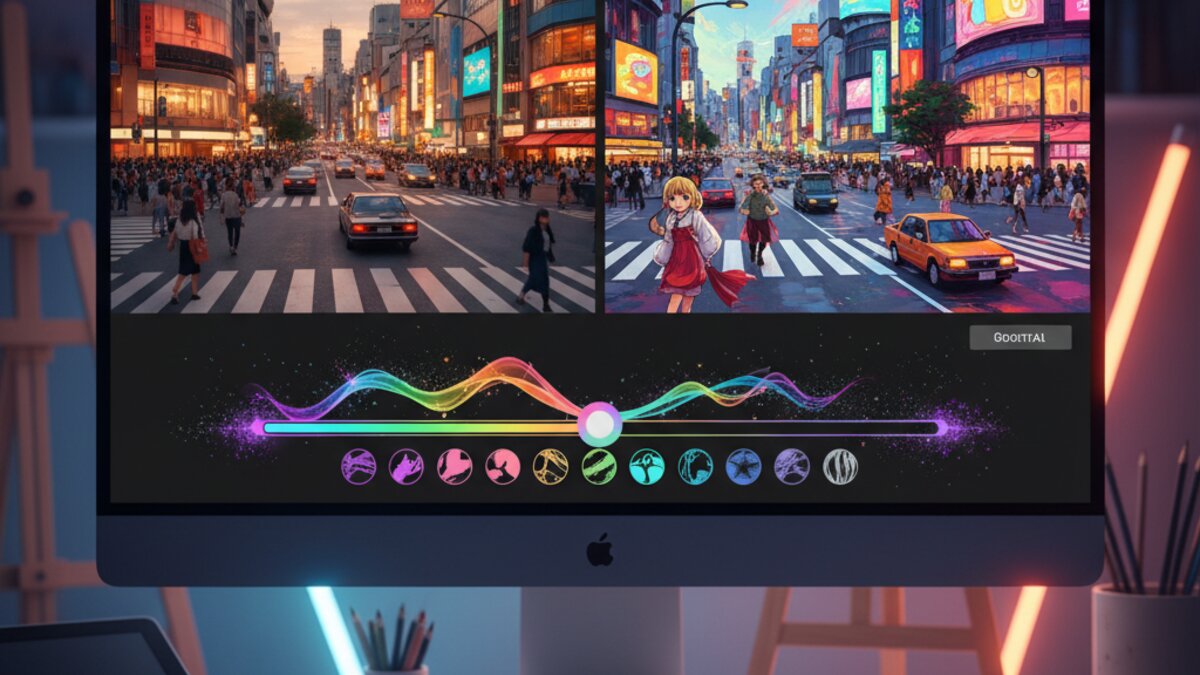
Video-to-video (V2V) AI uses your source footage as a structural reference — preserving motion, composition, and timing — while completely replacing the visual style with a new aesthetic. Think of it as applying an Instagram filter, but powered by a diffusion model with a deep understanding of art styles, lighting, texture, and character design.
The practical use cases are enormous:
- Turn a smartphone walkthrough clip into a cinematic anime scene
- Convert product demos into a stylized animation for ads
- Restyle YouTube talking-head footage into illustrated content
- Transform travel footage into watercolor or oil-painting aesthetics
- Create consistent visual branding across short-form social content
Unlike pure text-to-video, V2V doesn’t require you to describe every frame — your source clip does the heavy lifting. That makes it much faster and more predictable for creators who already have footage in hand.
DomoAI: The Anime and Animation Specialist
DomoAI has built its reputation as the go-to tool for transforming real footage into animated or illustrated styles. Its Restyle Video feature — also called AI Video Style Transfer — is remarkably straightforward: upload a clip, pick a style (anime, cartoon, 3D render, ink illustration, pixel art), adjust your consistency settings, and render.
What makes DomoAI stand out is the quality of its anime output. The motion coherence is excellent — characters and objects move fluidly without the flickering or “boiling” artifacts that plague cheaper V2V tools. Styles include popular anime aesthetics (Studio Ghibli-inspired, shonen action, chibi), as well as more painterly options like watercolor and ukiyo-e woodblock prints.
How to Use DomoAI Restyle Video
- Step 1: Head to domoai.app and log in (Discord bot or web app both work)
- Step 2: Upload your source video — clips up to 60 seconds work best; 10–20 seconds is ideal for your first attempt
- Step 3: Choose a style preset or enter a text prompt describing the visual style you want
- Step 4: Set the consistency strength — higher values preserve more of your original composition; lower values give the AI more creative freedom
- Step 5: Hit generate and wait roughly 2–5 minutes depending on clip length and server load
DomoAI’s free tier gives you a limited number of credits per day, with paid plans starting around $9.99/month for higher resolution and faster processing. For creators who want viral anime-style Reels or TikToks, it’s hard to beat.
Pika: Physics-Based Transformations and Effects
Pika takes a different approach to video transformation. Rather than wholesale style transfer, Pika specializes in dramatic, physics-based effects — what they call Pikaffects. These are one-click transformations that apply specific visual phenomena to your footage: objects melt, explode, inflate, crush, dissolve into sand, or burst into flames.
In 2026, Pika has expanded its effects library to include over 27 transformation types. Alongside Pikaffects, two other features define its V2V capability:
- Pikaswaps: Swap any element in your video — replace a car with a spaceship, a coffee cup with a potion, or swap clothing and accessories on a character
- Pikadditions: Add new objects or elements to existing footage, seamlessly composited into the scene
- Scene transformations: Change the environment, lighting, and time of day in your footage
Best Use Cases for Pika in 2026
Pika is particularly strong for short-form social content and meme-style videos. The one-click effects are designed for speed — most generate in under 60 seconds. If you want to create a viral clip where your logo melts, a product explodes dramatically, or a character transforms into a different outfit, Pika is unmatched for this niche.
The platform’s web interface is clean and beginner-friendly. You can access Pika at pika.art, with a free tier available and Pro plans from $8/month. For AI-powered API access and model routing across multiple tools — including Pika — OpenRouter is worth exploring as a unified access layer.
Runway: Professional-Grade Style Transfer
Runway’s Gen-4 video editor includes a powerful video-to-video pipeline that sits at the professional end of the spectrum. Unlike DomoAI’s preset-focused approach or Pika’s effects-first design, Runway gives you granular control over the style transfer process through text prompts, reference images, and frame-level control.
Key features of Runway’s V2V workflow include:
- Motion Brush: Apply style transformation selectively to specific regions of the frame
- Reference image guidance: Upload an image as a style reference — Runway will extract the visual language and apply it to your video
- Consistency controls: Fine-tune how closely the output follows your source footage’s colors, composition, and motion
- Frame interpolation: Smooth out the output for cinematic-quality results at higher frame rates
Runway is the strongest choice when output quality is non-negotiable — for advertising, short film production, or professional content creation. The tradeoff is complexity and price: Runway’s Standard plan starts at $15/month, with higher tiers for more generation credits and 4K output.
Head-to-Head Comparison: Which Tool Should You Use?
Here’s a quick breakdown to help you choose:
- DomoAI: Best for anime/illustrated styles, consistent motion quality, beginner-friendly, affordable. Ideal for: social creators, manga fans, animated content.
- Pika: Best for dramatic one-click effects, swaps, and additions. Ideal for: viral short-form content, product marketing, meme creators.
- Runway: Best for professional-grade output, reference-guided style transfer, and fine-grained control. Ideal for: filmmakers, brand studios, ad agencies.
If you’re building a multi-platform content workflow that uses several of these tools, a platform like Make.com can help you automate the handoffs — for example, triggering a DomoAI render whenever a new video is uploaded to a shared folder, then auto-posting the output to social media.
Tips for Better V2V Results Across All Tools
- Start short: Test with 5–10 second clips before committing to longer renders. It’s faster, cheaper, and lets you iterate on style settings quickly.
- Shoot with V2V in mind: Steady camera movement, consistent lighting, and clear subject-background separation produce far better transformation results.
- Avoid motion blur: Fast camera pans or highly blurry action sequences confuse V2V models. Slower, deliberate motion transfers better.
- Iterate on prompts: Even for DomoAI’s preset styles, adding a short descriptive prompt (e.g., “Studio Ghibli style, soft lighting, detailed backgrounds”) significantly improves output quality.
- Check consistency settings: If your output looks “swimmy” or the background shifts unnaturally, increase consistency strength. If it looks too close to the original, reduce it.
What’s Next for AI Video-to-Video?
The V2V category is evolving rapidly. In the next 6–12 months, expect to see real-time style transfer (transforming your webcam feed live), tighter integration with editing timelines in tools like Premiere and DaVinci Resolve, and multi-style blending that lets you morph between two aesthetics across a single clip. As model efficiency improves, the quality gap between free-tier and pro-tier tools will continue to narrow — making these capabilities accessible to anyone with a smartphone and a creative idea.
Whether you’re a solo creator or a production studio, AI video-to-video transformation is one of the most powerful additions to your toolkit in 2026. Start with DomoAI for anime, reach for Pika when you want drama, and call in Runway when quality has to be perfect.
Watch It in Action
See how DomoAI transforms real footage into animation in this hands-on tutorial:
What to Read Next
- The Hidden Frustrations of AI Botsitting: How Workers Are Losing Time in 2026
- Zero-shot Learning: What It Means in AI and Why It Matters (2026 Guide)
- GPT-4o Dominates Claude Fable 5 in Agents’ Last Exam – A Benchmark Breakthrough
- Best VPS for Python Projects in 2026: Powering Your Code Affordably
- Browse all AI Stack Digest articles
Bookmark aistackdigest.com for daily AI tools, reviews, and workflow guides.
This article was produced with the assistance of AI tools and reviewed by the AIStackDigest editorial team.